A 405 Method Not Allowed Error occurs when a web server recognizes a request from a browser but deliberately refuses the HTTP method being used to access that page. In the current digital environment, where user trust is fragile, encountering an error page can cause a visitor to abandon your site entirely. When a browser attempts to interact with a server using a method that the server does not support or has explicitly disabled, this status code is triggered. Understanding how to resolve this error is essential for maintaining a reliable user experience and ensuring your digital presence remains accessible.

Understanding the 405 Method Not Allowed Error
A 405 Method Not Allowed Error is an HTTP status code indicating that the server knows the resource exists but refuses to process the specific request method, such as GET, POST, or PUT. Think of it as a bouncer at a club entrance; the bouncer sees the guest (the request) but denies them entry because they are not on the authorized list for that specific entrance. This error often surfaces during site migrations, configuration updates, or when security settings are misaligned. Because the error code itself is generic, it does not always specify why the server rejected the request, leaving developers to investigate the underlying server behavior.
Why Error Resolution Matters
When this error occurs, your visitors are met with a dead end, which can reflect poorly on your brand’s technical standards. A single failed request might seem minor, but if it happens on a checkout page or a contact form, it directly impacts your bottom line. Resolving this requires a methodical approach, as the issue is usually tied to server-side configurations rather than the content itself. By systematically checking your code and server settings, you can restore functionality and ensure your site remains a reliable resource for your audience.
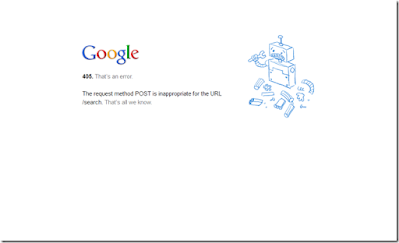
Maintaining a high standard of technical SEO requires that your site remains functional and predictable. Search engines prioritize websites that provide consistent, error-free access to content. When a server returns a 405 error, crawlers may view your site as unstable, potentially leading to lower rankings. By addressing these errors promptly, you demonstrate to both users and search algorithms that your infrastructure is well-maintained and trustworthy.
Investigating and Resolving the 405 Error
Fixing a 405 error generally involves isolating the server configuration or code logic that is denying the request. We recommend a structured approach to troubleshooting, focusing on the three most common areas of failure: application code, server logs, and configuration files.
1. Identifying Bugs in Your Website Code
Sometimes, the issue stems from a mismatch between the request sent by the client and the code running on your server. If your website code is misconfigured, the server might fail to handle requests correctly, especially when interacting with external services or content delivery networks. You should examine your codebase for any logic that might be inadvertently blocking specific HTTP methods.
Using a development environment to simulate the exact request that triggers the 405 error can help you pinpoint the precise moment the server rejects the connection. This allows you to debug the issue in a safe setting without affecting your live site. Ensure that your API endpoints are correctly mapped to the methods they are expected to handle. If an endpoint is designed to accept POST requests but is accidentally receiving GET requests, the server will naturally reject the interaction.
2. Analyzing Server-Side Logs
Server logs are invaluable for diagnosing technical issues because they provide a historical record of everything happening behind the scenes. There are two primary types of logs you should review: application logs and server logs. Application logs provide insight into the specific pages requested by users and the connection history of those requests. In contrast, server logs offer a deeper look at the hardware and software health of your server, including any warnings or errors triggered by the web server software itself.
By cross-referencing these logs, you can often identify patterns that lead to a 405 error, such as a surge in unauthorized requests or a misconfigured API endpoint. Look for timestamps that align with the user reports of the error. Often, the log will provide a specific message indicating which module or script blocked the request, which saves significant time during the debugging process.
3. Reviewing Server Configuration Files
If the code appears sound, the root cause is likely hidden within your web server’s configuration files. These files dictate how the server should handle incoming traffic, including URL rewrites, security protocols, and method permissions. An accidental change in your configuration—such as a misplaced redirect rule or a restriction on specific HTTP verbs—can easily trigger a 405 error.
Check these files for any recent changes that might have restricted access to the affected URL. Often, the solution is as simple as correcting a syntax error or updating a rewrite rule that was meant for a different directory. Ensure that your server software, such as Apache or Nginx, is configured to permit the specific HTTP methods required by your application. If you have recently updated your security headers or firewall rules, these might be inadvertently blocking legitimate traffic.
Maintaining Site Health Beyond Error Fixing
While resolving a 405 error restores access, it is a reminder that technical maintenance is an ongoing responsibility. As search environments evolve, the focus shifts toward ensuring your content is not just accessible to humans, but also optimized for AI and automated systems. A site that frequently returns errors is less likely to be interpreted correctly by automated crawlers, which can impact your long-term visibility.
| Troubleshooting Area | What to Look For | Potential Impact |
|---|---|---|
| Application Code | Logic bugs in API requests | Blocks specific user interactions |
| Server Logs | Unauthorized request patterns | Reveals hidden security gaps |
| Config Files | Misconfigured redirect rules | Causes persistent access errors |
By staying proactive with your technical audits, you can identify these issues before they affect your audience. We believe that consistent, high-quality content delivery is the cornerstone of brand authority. When you treat your website as a living system that requires regular fine-tuning, you minimize the risk of downtime and ensure that every interaction—whether from a human visitor or a search agent—is productive. If you find your team spending more time fixing errors than creating value, it might be time to evaluate whether your current publishing infrastructure is working for you or against you.
Ensuring Future Stability
Technical errors are often symptomatic of deeper integration issues. As you manage your site, consider how your hosting environment interacts with your content strategy. The goal is not just to keep the lights on, but to create a stable, predictable experience that builds trust over time. Whether you are troubleshooting a 405 error or refining your site structure, the focus remains on reliability and clarity.
Best Practices for Long-Term Maintenance
To prevent future occurrences, establish a routine for monitoring your site’s health. Use automated tools to track HTTP status codes across your most important pages. If a 405 error appears, your monitoring system should alert your technical team immediately, allowing for a resolution before the error reaches a significant portion of your traffic.
Furthermore, document your server configuration changes. Keeping a clear history of updates to your server settings makes it much easier to revert to a previous state if a new configuration inadvertently causes an error. If you are consistently facing these technical hurdles, it might be worth reviewing your server architecture to ensure it aligns with your long-term growth objectives. Every fix you implement is an opportunity to strengthen your site’s foundation and improve the way your brand is perceived by the global search ecosystem. By prioritizing stability, you create a digital environment where your content can thrive.





