Understanding when to disavow links is a critical part of maintaining your site’s health in an era where search engines are increasingly sophisticated. While backlinks remain a foundational element of SEO, the quality and intent behind those links dictate their impact on your search performance. A disavow file is a signal sent to search engines requesting that they ignore specific low-quality or manipulative backlinks pointing to your domain. When Google processes this file, those links are excluded from the calculations used to determine your ranking, effectively neutralizing their potential to harm your reputation. This mechanism serves as a last-resort defense, allowing webmasters to take control of their backlink profile when automated systems fail to protect organic integrity.
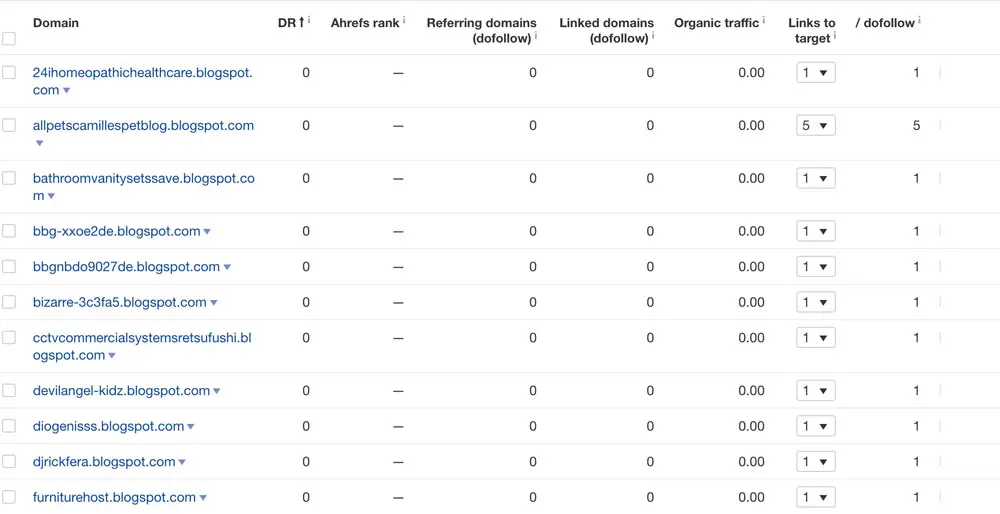

It is important to clarify that submitting a disavow file does not physically remove these links from the internet. They remain part of your backlink profile, but they are essentially rendered neutral in the eyes of the search engine. Because search engines are designed to identify and ignore common spam automatically, you generally do not need to intervene unless you have specific reasons to believe your site is being penalized for unnatural patterns. Misusing this tool can actually harm your rankings by inadvertently disavowing legitimate, high-quality links that contribute positively to your authority. Therefore, precision and caution are paramount when deciding to engage with this powerful utility.
When Should You Use the Disavow Tool?
Search engine guidance is consistent: the disavow tool should be used sparingly and only in extreme cases. For the vast majority of websites, manual intervention is unnecessary. You should only consider this process if your site has received a manual action penalty or if you have clear evidence of past involvement in manipulative link-building strategies that may be actively suppressing your growth. Understanding the threshold for intervention helps prevent unnecessary administrative burdens and protects your site from accidental self-sabotage.
Identifying Manual Actions
If you have received a notification within your Search Console regarding a manual action, you have a direct reason to act. This notification typically indicates that your site has violated search guidelines, often due to unnatural link patterns. In this scenario, your primary objective is to resolve the issue to regain your standing. Before reaching for the disavow tool, attempt to contact the webmasters of the offending sites to request the removal of the links. If that is unsuccessful, creating a disavow file becomes a necessary step to demonstrate to the search engine that you are addressing the issue.
When a manual action is issued, it is not just a warning; it is a formal penalty that directly impacts your visibility in search results. The notification will specify the nature of the violation, such as “Unnatural links to your site.” This is your cue to conduct a thorough audit. Ignoring this signal can lead to prolonged ranking drops or even complete de-indexing of affected pages. The process of resolving a manual action requires a documented effort to clean up your backlink profile. By submitting a disavow file after attempting removal, you provide Google with proof of your compliance efforts, which is a prerequisite for requesting a reconsideration review.
Recognizing Harmful Link Schemes
Not all links are created equal, and some are objectively detrimental to your site’s integrity. If you or a previous SEO partner engaged in practices such as purchasing backlinks, participating in private blog networks, or mass-submitting to irrelevant directories, these links may be flagged as manipulative. These schemes are designed to artificially inflate PageRank, which directly contradicts the goal of earning links through high-quality, relevant content. If you identify a significant volume of these types of links, they are prime candidates for your disavow list.
Link schemes often manifest in subtle ways that can be difficult to detect without a deep dive into your backlink data. For instance, a sudden influx of links from low-authority, foreign-language sites or automated blog comments can indicate a negative SEO attack or the aftermath of a black-hat campaign. These links do not provide any genuine referral traffic or editorial value; instead, they signal to search engines that your site is participating in or benefiting from manipulative practices. Identifying these patterns early allows you to mitigate potential penalties before they fully materialize. It is crucial to distinguish between natural, albeit low-quality, links and those that are part of a coordinated scheme. The latter requires immediate attention through the disavow tool.
Analyzing Your Backlink Profile
To make an informed decision, you must first have a clear view of your entire backlink landscape. Relying on a single source is often insufficient, as different tools provide varying levels of depth and data. A comprehensive analysis typically involves gathering data from multiple sources to ensure you aren’t missing critical information. This multi-faceted approach ensures that your assessment is robust and that you are not overlooking hidden risks within your backlink profile.
Gathering Data from Search Console
Google Search Console is your primary source of truth. By navigating to the links section, you can export your external links to review them in a structured format. This provides you with the most direct view of how Google perceives your incoming links. Combining this data with exports from third-party tools like Semrush, Ahrefs, or Moz can help you identify patterns that might be visible in one database but not another.
Search Console offers the most accurate representation of the links Google has actually crawled and indexed. However, it may not capture every single link pointing to your site, especially those on pages that Google has not yet crawled. Third-party SEO tools maintain massive databases of backlinks that can reveal additional layers of your link profile. By cross-referencing data from Search Console with these external tools, you can create a more complete picture. Look for discrepancies: links that appear in third-party tools but not in Search Console might be newer or harder to crawl, while those in Search Console are already influencing your rankings. This comparative analysis is essential for identifying high-risk links that require immediate attention.
Using Link Audit Tools
For larger websites, manual review of every single backlink is often impractical. Many professionals use dedicated link audit tools that assign a toxicity score to links based on various signals. While these tools are excellent for surfacing potential issues, they should act as a guide rather than an absolute authority. Always perform a manual spot-check of the flagged links to confirm they are indeed harmful before adding them to your disavow file.
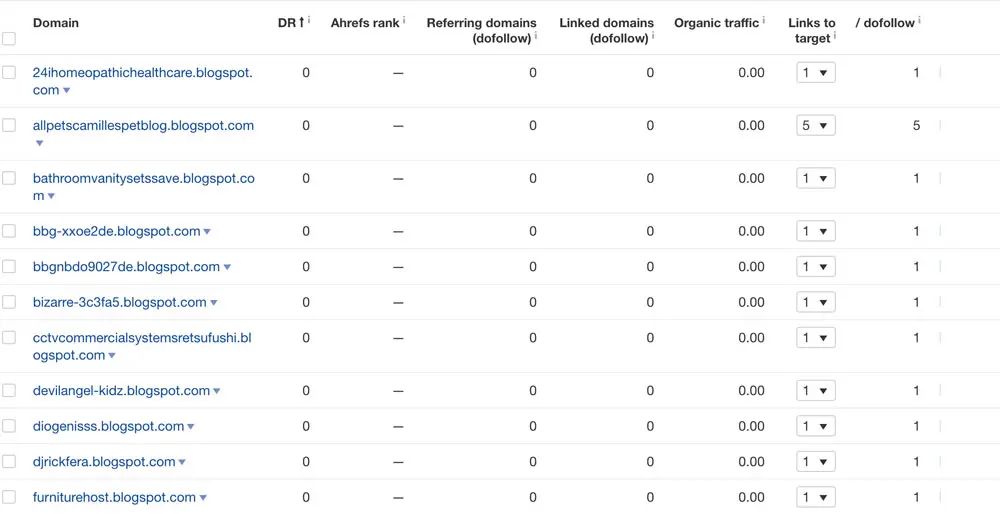
Link audit tools utilize complex algorithms to evaluate factors such as domain authority, anchor text distribution, and site relevance. These tools can quickly highlight domains that exhibit characteristics of spam or low-quality content. However, automated scores can sometimes produce false positives. A domain might have a low toxicity score but still be irrelevant to your niche, or it might have a high score due to a temporary issue. Manual verification is crucial to avoid disavowing links that are actually beneficial. When reviewing flagged links, examine the context: Is the link placed naturally within content? Does the linking site have real users? These qualitative assessments complement the quantitative data provided by audit tools.
As you assess these links, consider the context of the backlink. Many sites accumulate low-quality links naturally over time; these are often ignored by search engines and do not require your intervention. Only prioritize links that appear to be part of a coordinated or deliberate effort to manipulate rankings. Natural spam, such as links from forum signatures or blog comments on unrelated blogs, is usually filtered out by Google’s algorithms without manual input. Focus your efforts on links that violate webmaster guidelines, such as paid links, exact-match anchor text spam, or links from link farms. By prioritizing high-risk links, you ensure that your disavow file is effective and efficient.
Creating and Uploading Your Disavow File
Once you have finalized your list of links to ignore, you must format them correctly to ensure the search engine can process your request. The process is straightforward but requires strict adherence to technical requirements. The file must be saved as a plain text document, typically named disavow.txt, and it must not exceed 2MB or 100,000 lines. Proper formatting is essential to avoid errors that could delay the processing of your request.
Formatting Your File
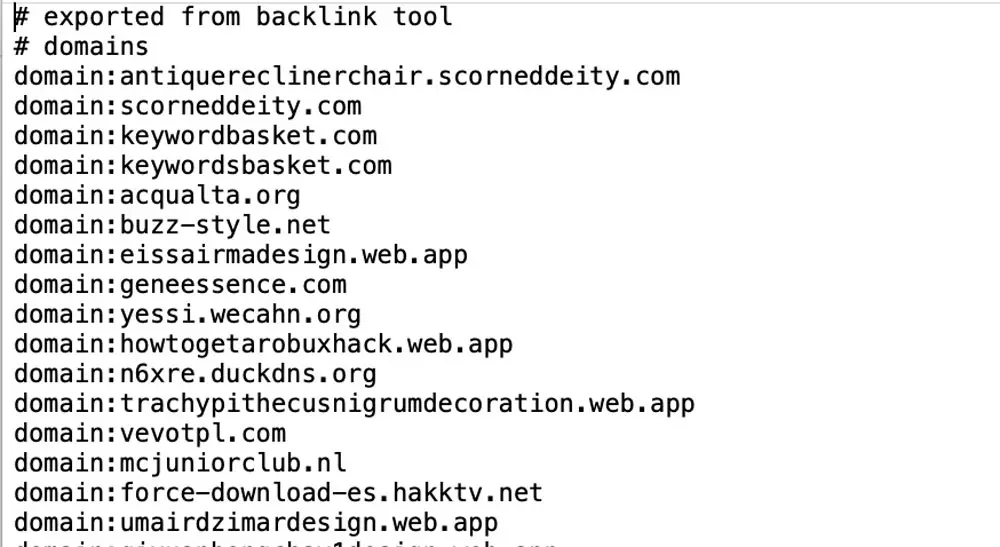
Each line in your text file should specify either a single URL or an entire domain. To disavow an individual page, simply paste the URL on its own line. To disavow an entire website—which is often more efficient if you find a domain that is overwhelmingly spammy—start the line with the prefix domain:. You can also include comments in your file by using the # symbol at the beginning of a line; these comments are ignored by the search engine but are invaluable for your own internal record-keeping.
When formatting your file, precision is key. Ensure that there are no extra spaces or hidden characters that could cause parsing errors. Using the domain: prefix is particularly useful for dealing with large volumes of spam from a single source, as it disavows all current and future links from that domain. This approach saves time and reduces the risk of missing individual URLs. Including comments helps you track why specific links or domains were disavowed, which is useful for future audits and for explaining your actions to team members or clients. For example, you might add a comment like # Disavowed due to manual action penalty to provide context for your decisions.
Submission Process
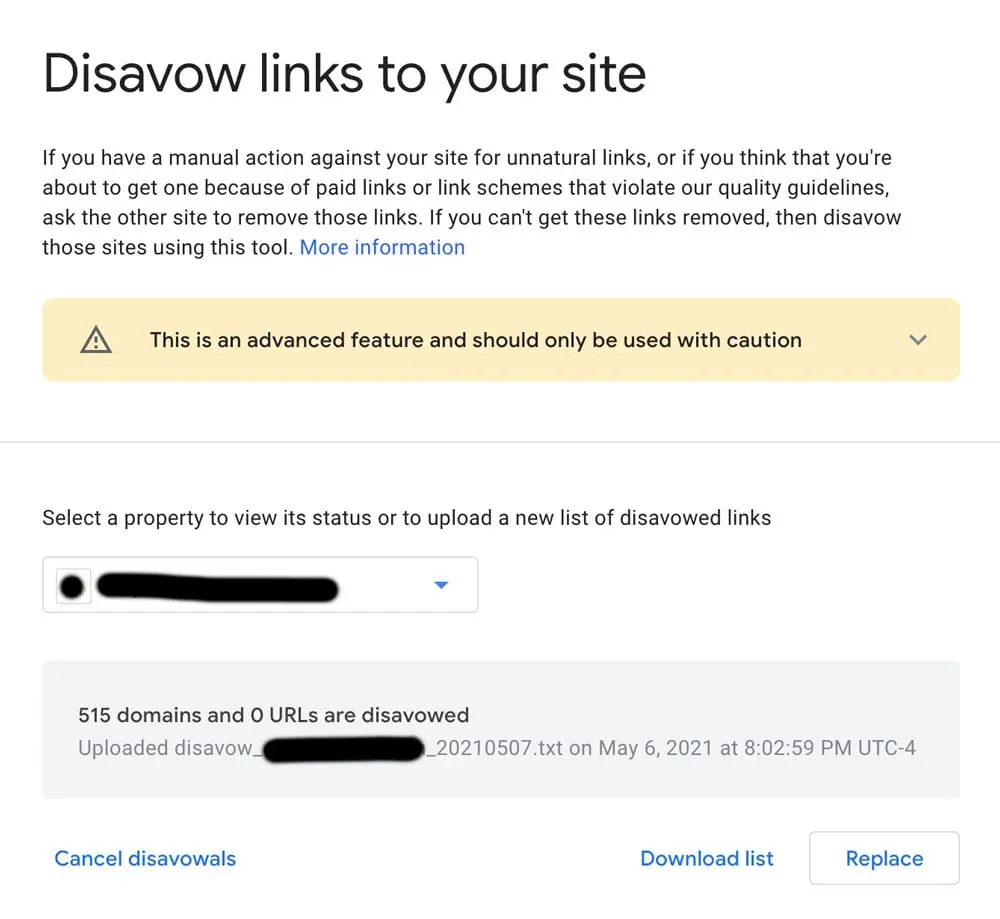
After preparing your file, navigate to the specific disavow tool page within your Search Console property. Upload your text file, and confirm the submission. Note that if you have previously submitted a file, this new upload will completely replace the old one. If your file contains formatting errors, the tool will notify you, allowing you to correct the issue and re-upload. Once submitted, the process is largely automated, and it may take some time for the search engine to crawl and re-index the pages in question.
The submission process is simple, but the implications are significant. Once you upload a new disavow file, it supersedes any previous versions. This means you must ensure that your new file includes all previously disavowed links that you still wish to ignore. Failure to do so could result in those links being re-evaluated by Google, potentially reinstating any negative impact they had. After submission, monitor your Search Console for any updates or notifications. It may take several weeks for Google to fully process the disavow file and for the effects to be visible in your rankings. Patience is essential during this period, as immediate changes are unlikely.
Ultimately, the disavow tool is a utility for maintenance rather than a growth tactic. By focusing on creating content that naturally attracts high-quality links, you minimize the need to manage a disavow file in the future. If you find yourself frequently using this tool, it may be a signal to revisit your broader content and link-building strategy to ensure it aligns with sustainable practices. Building a strong, organic backlink profile through valuable content and genuine relationships is the best defense against spam and penalties. Regular audits and proactive management of your backlink profile can help you stay ahead of potential issues and maintain a healthy, authoritative presence in search results.





