Creating 360 degree video is a deliberate process of capturing an environment that allows viewers to explore a scene from every angle. Unlike standard flat video, this format acts as a form of virtual reality that requires no specialized hardware beyond a smartphone or computer screen. It is an exercise in providing autonomy to the audience, shifting the focus from passive observation to active engagement. This shift fundamentally changes the relationship between the creator and the viewer, transforming the audience from mere spectators into active participants who dictate their own visual journey.
Why Strategic Intent Matters
Before you invest time or resources into filming, you must identify a clear purpose for using 360 degree content. This format asks the viewer to take control of their perspective, which means the content must justify that level of effort. If the setting does not benefit from being viewed in all directions, a standard video format is likely more effective. Understanding the core value proposition of immersive media is the first step in ensuring your project succeeds.
Defining the Narrative Value
The primary advantage of 360 degree video lies in its ability to convey spatial context. In traditional video production, the director controls exactly what the viewer sees, creating a linear narrative. In immersive content, the viewer controls the frame. This means your strategic intent must align with experiences where context, atmosphere, and spatial relationships are more important than a single, forced focal point. For example, a product close-up is rarely effective in 360, but a tour of a manufacturing facility or a luxury hotel suite is highly effective because the value lies in the environment itself.
Assessing Resource Allocation
Successful applications often center on travel, unique event experiences, or virtual site walkthroughs. A 360 degree video is a significant time investment, often requiring a full day for planning, capturing, and managing the resulting files. Approach the project as a substantial production rather than a casual experiment. This includes budgeting for pre-production scouting to ensure the location is visually interesting from all angles, as well as post-production time for stitching and color grading.
Identifying the Right Use Cases
Not every marketing message benefits from immersion. To determine if 360 degree video is the right tool, ask whether the “wow” factor of immersion adds to the message or distracts from it. If the goal is to showcase the scale of an event, the layout of a retail space, or the ambiance of a destination, 360 degree video is an ideal choice. If the goal is to demonstrate a specific feature of a small object, standard video remains superior. By aligning your strategic intent with the strengths of the medium, you ensure that the immersive nature of the content enhances rather than hinders your marketing goals.
Designing for Viewer Autonomy
Avoid the common mistake of simply placing a camera in the center of a room and recording without direction. This approach often results in disjointed, unengaging footage that lacks a focal point. Instead, craft your scene so that while the user has the freedom to look anywhere, there is a clear narrative or action guiding their attention. This requires a different mindset than traditional directing, as you must choreograph movement and sound to draw the eye naturally.
Structuring Visual Interest
In a 360 degree environment, there is no “center frame.” Every direction is potentially the center. To maintain engagement, you must distribute visual interest evenly around the sphere. This involves careful staging of subjects, props, and lighting. For instance, if you are filming a live performance, ensure that the audience, the stage, and the backstage areas all offer compelling visuals. The goal is to reward curiosity; when a viewer looks away from the main action, they should still find something interesting, which encourages them to return to the primary narrative thread.
Using Audio as a Guide
Sound plays a critical role in guiding viewer attention in immersive content. Unlike visual cues, which can be easily missed if the viewer is looking the wrong way, spatial audio can pull the viewer’s gaze toward a specific direction. By using 3D audio or carefully mixed stereo tracks, you can create auditory landmarks that signal where important action is happening. For example, the sound of a door opening or a voice speaking from the left can naturally cause a viewer to pan their view in that direction, ensuring they do not miss key moments in the story.
Industry-Specific Applications
Consider how businesses in various sectors can apply this. For instance, automotive brands or local dealerships can offer virtual test drives, simulating the experience of sitting inside a vehicle. Similarly, real estate professionals can provide property tours that allow potential buyers to explore a home at their own pace. The goal is to provide a sense of presence that standard media cannot replicate. In these scenarios, the viewer’s autonomy is not just a feature; it is the core value proposition. By allowing users to look under the hood of a car or inspect the finish on a countertop, you build trust and engagement that static images or linear videos cannot achieve.
Selecting the Right Hardware
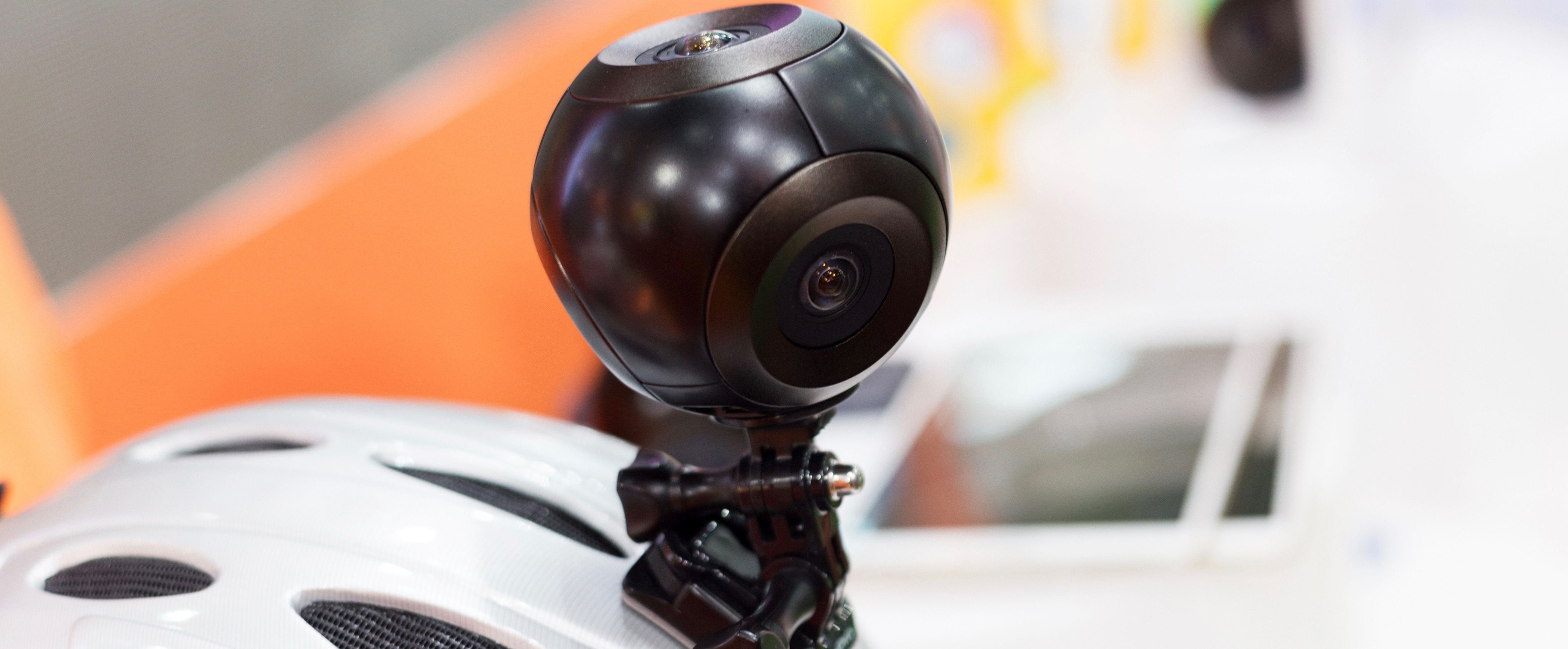
Your choice of camera should balance your budget with the intended use case. Beginners often find that single-unit cameras, such as the RICOH THETA series, provide an excellent starting point because they are compact and require minimal setup. These devices typically use two sensors to capture the environment, offering a balance between ease of use and visual quality. However, the hardware landscape is diverse, and understanding the trade-offs between different types of cameras is essential for making an informed decision.
Evaluating Single-Lens vs. Multi-Lens Systems
Single-lens 360 cameras are ideal for quick deployments, social media content, and situations where portability is key. They are generally more affordable and easier to operate, making them perfect for teams without dedicated video production staff. On the other hand, multi-lens rigs, which consist of several individual cameras mounted on a sphere, offer significantly higher resolution and better dynamic range. These systems are used in high-end commercial productions where image quality is paramount. However, they require extensive setup, precise synchronization, and complex post-production workflows.
Considering Environmental Factors
When selecting hardware, also consider the environment in which you will be shooting. Some cameras are better suited for low-light conditions, while others excel in bright, outdoor settings. Additionally, think about the physical constraints of the location. A bulky multi-camera rig may be difficult to mount in tight spaces or on moving vehicles, whereas a compact single-lens camera can be easily attached to a helmet, a drone, or a tripod. Assessing these practical constraints will help you choose a camera that not only meets your quality requirements but also fits your logistical needs.
Budgeting for Accessories
The cost of the camera is only part of the equation. You must also budget for essential accessories such as tripods, mounts, and storage media. 360 degree video files are large, so high-capacity, high-speed memory cards are necessary to prevent dropped frames. Additionally, consider the need for external microphones or audio recorders, as the built-in microphones on many 360 cameras may not capture high-quality spatial audio. Investing in the right accessories can significantly improve the overall quality of your production and streamline your workflow.
Managing the Technical Workflow
Once filming is complete, the process of stitching footage together becomes the primary challenge. Because these files are high-resolution, they demand significant computing power and RAM. The complexity of the editing stage varies based on whether you are using a single-lens source or a multi-camera rig that requires precise synchronization. Understanding the technical requirements of this stage is crucial for avoiding bottlenecks and ensuring a smooth production pipeline.
The Stitching Process
Stitching is the process of combining the individual image streams from each lens into a single, seamless 360 degree sphere. For single-lens cameras, this is often done automatically by the camera itself or through proprietary software provided by the manufacturer. For multi-camera rigs, stitching is a more complex task that requires specialized software to align the images, remove the rig itself from the final image, and color-match the different lenses. This process can be time-consuming, especially for high-resolution footage, and may require a powerful computer with a dedicated graphics card.
Editing for Immersion
Editing 360 degree video is different from editing traditional video. You cannot simply cut between shots in the same way, as sudden changes in perspective can disorient the viewer. Instead, editors often use transitions that are subtle and natural, such as fades or dissolves, to maintain the sense of continuity. Additionally, editors must consider the viewer’s potential gaze direction when placing text or graphics. Since the viewer can look anywhere, text should be placed in a location that is likely to be in the viewer’s field of view, or it should be designed to move with the viewer’s perspective.
Software Options
Many manufacturers provide proprietary software designed to handle the specific stitching requirements of their hardware. If you need more flexible options, consider the following industry-standard tools:
| Software | Best For | Compatibility |
|---|---|---|
| Adobe Premiere Pro | Professional editing and advanced effects | Mac, Windows |
| Kolor Autopano Video | Specialized 360 stitching and high-end output | Mac, Windows |
| VideoStitch Studio | Diverse file format support and workflow efficiency | Mac, Windows |
Each of these tools offers unique features and workflows. Adobe Premiere Pro is ideal for editors who are already familiar with the Adobe ecosystem and need to integrate 360 degree video into larger projects. Kolor Autopano Video is a powerful tool for high-end stitching, particularly for multi-camera rigs. VideoStitch Studio offers a user-friendly interface and robust support for various file formats, making it a versatile choice for both beginners and professionals.
Strategic Distribution and Platforms
Where you publish your video determines how it is experienced by your target audience. Major platforms like YouTube and Facebook have built-in support for 360 degree media, making them the most accessible venues for initial distribution. However, your choice should be driven by where your audience is most active and the devices they use. Understanding the nuances of each platform can help you maximize the reach and impact of your immersive content.
Platform-Specific Optimizations
Each platform has its own specifications and best practices for 360 degree video. YouTube, for example, supports both 360 degree video and virtual reality content, and it automatically detects and tags 360 degree uploads. Facebook also supports 360 degree video, but it may require specific settings to ensure the immersive effect is triggered. Additionally, some platforms may compress the video differently, affecting the final quality. It is important to test your video on each platform to ensure it looks and performs as expected.
Mobile vs. Desktop Experience
Data suggests that mobile devices provide the most intuitive experience for 360 degree content, as the screen responds to the physical movement of the phone. When planning your distribution, account for platform limitations—for instance, some mobile operating systems require specific applications to display the 360 degree effect correctly. If you need to host this content on your own website, consider using specialized players or delivery technology that ensures a high-quality, interactive experience across all browsers and devices. This may involve using HTML5 players that support gyroscope input for mobile devices and mouse or keyboard controls for desktop users.
Measuring Engagement
Finally, track the performance of your 360 degree video to understand how viewers are interacting with it. Most platforms provide analytics that show view counts, watch time, and engagement metrics. For 360 degree video, you may also be able to see heatmaps that indicate where viewers are looking most often. This data can provide valuable insights into what aspects of your content are most engaging and help you refine your strategy for future projects. By focusing on intentional content, appropriate hardware, and a clear understanding of your platform, you can move beyond simple recording. The result is a piece of media that invites the viewer to step into your world, providing a level of engagement that standard video simply cannot offer.





