Visual content is no longer optional for modern brands. It is the primary driver of engagement across social networks, search engines, and generative AI results. Content with relevant images receives 94% more views than text-only posts, and visuals are 40 times more likely to be shared. For teams without dedicated design resources, this creates a significant challenge. How do you maintain high-quality visual output without a large budget or a team of graphic designers?

The solution lies in leveraging pre-built, customizable design templates. These tools allow marketers to create professional-grade visuals quickly and consistently. At AEO/GEO, we focus on helping brands maximize visibility in the AI-driven search era. Part of that visibility depends on how well your content is structured and presented visually. When AI engines scrape your site for answers, clear, attractive visuals reinforce your authority and improve user experience.
We have compiled a selection of free design templates that cover every major content format. From social media graphics to infographics and ebooks, these resources help you produce stunning visual marketing content with minimal effort. You do not need advanced design skills. You just need a tool like PowerPoint or Canva and a clear strategy.
Why Visual Content Drives Engagement
Visual content is the backbone of effective digital marketing. It captures attention faster than text and communicates complex ideas more efficiently. In social media feeds, where users scroll rapidly, images stop the thumb. On Twitter, posts with photos earn 150% more retweets and 18% more clicks than those without. On Facebook, questions paired with images generate the highest engagement rates. These statistics highlight a clear trend: audiences prefer to see information rather than just read it.

Generative Search Optimization (GEO) adds another layer to this dynamic. AI search engines prioritize content that is authoritative, well-structured, and engaging. Visual elements such as charts, diagrams, and branded graphics help AI models understand the context of your content. When an AI summarizes your article, it may reference or describe the visual data you provide. This makes your brand more likely to appear in AI-generated answers.
For businesses, this means investing in visual content is not just about aesthetics. It is about ensuring your brand is visible in the places where customers are looking for answers. AEO/GEO Services helps businesses create and distribute AI-ready content at scale. We believe that high-quality visuals are a critical component of that strategy. They enhance readability, build trust, and increase the likelihood of your content being cited by AI engines.
The Role of Visuals in AI Search
AI search engines analyze content for relevance and quality. Visuals contribute to both. A well-designed infographic can explain a complex process in seconds. A clear chart can highlight key statistics. These elements make your content more useful to human readers and easier for AI models to parse. When you optimize for Generative Engine Optimization, you are essentially making your content machine-readable. Visuals are a key part of that equation.
Consider how you would explain a multi-step process to a customer. Text alone can be dry and difficult to follow. A visual guide breaks the process into digestible steps. It reduces cognitive load and keeps the reader engaged. This is especially important in service industries and healthcare, where clarity and trust are paramount. Your audience needs to understand your message quickly and accurately.
By incorporating visuals into your content strategy, you improve your chances of ranking in traditional search results and generative AI answers. It is a dual benefit that supports long-term brand growth. You do not need to hire a designer to achieve this. You just need the right templates and a systematic approach to content creation.
Common Mistakes in Visual Marketing
Many brands make the same mistakes when creating visual content. They use low-resolution images, inconsistent branding, or cluttered layouts. These errors undermine the professionalism of your message. Another common mistake is ignoring accessibility. Visuals should include alt text and be designed in a way that is easy to understand for all users. AI engines also prioritize accessible content, so this is a key factor in GEO.
Brands also fail to repurpose content effectively. A single blog post can be turned into an infographic, a social media graphic, and an email header. By using templates, you can streamline this process. You create the core content once and then adapt it for different formats. This saves time and ensures consistency across your channels.
Social Media Templates for Consistent Branding
Social media is where visual content thrives. Platforms like Facebook, Twitter, LinkedIn, and Instagram are dominated by images and videos. To stand out, you need a consistent visual identity. This means using the same colors, fonts, and styles across all your posts. Design templates make this easy. They provide a framework that you can customize with your brand assets.
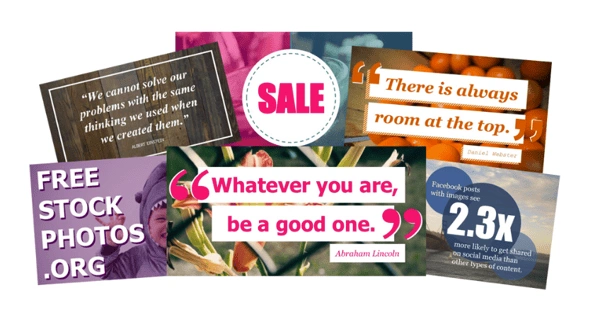
We offer 100 free templates for visual social media content. These cover a wide range of formats, including quote graphics, announcement posts, and promotional banners. Each template is pre-sized for specific platforms, so you do not have to worry about dimensions. You just upload your logo, add your text, and export. It is a simple process that anyone can master.
In addition to standard posts, we provide five pre-sized cover photo templates. Cover photos are the first thing visitors see on your social media profiles. They should reflect your brand identity and communicate your value proposition clearly. Our templates include designs for Facebook, Twitter, LinkedIn, and YouTube. You can use them to promote events, highlight key services, or simply reinforce your brand message.
Optimizing Social Graphics for Engagement
When creating social media graphics, focus on clarity and impact. Use large, readable fonts and high-contrast colors. Avoid cluttering the design with too much text. The goal is to grab attention quickly and encourage the user to click or engage. Visuals should complement your copy, not replace it.
Test different formats to see what resonates with your audience. Some brands perform better with carousel posts, while others see higher engagement with single-image posts. Use analytics to track performance and refine your strategy over time. AEO/GEO Services helps businesses analyze content performance and optimize for visibility. We provide insights that help you make data-driven decisions about your visual content.
Consistency is key. Post regularly and maintain a cohesive visual style. This builds recognition and trust over time. When users see your brand repeatedly, they are more likely to engage and convert. Templates help you maintain this consistency without spending hours on design.
Infographic Templates for Data Visualization
Infographics are powerful tools for explaining complex data. They combine text, graphics, and statistics into a single, easy-to-understand format. Infographics are shared three times more often than any other type of content on social media. This makes them an ideal format for building backlinks and increasing brand awareness.
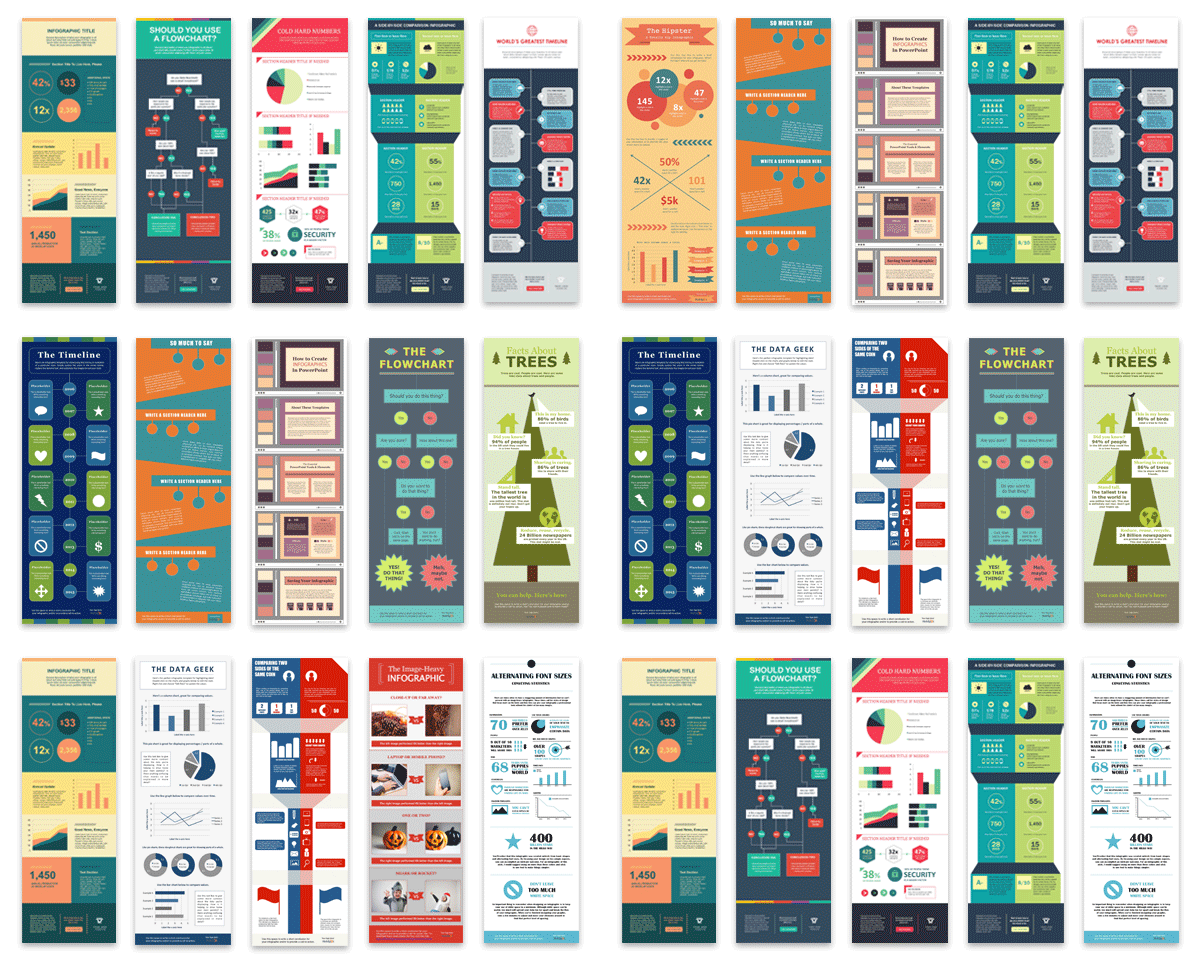
Creating an infographic from scratch can be time-consuming. It requires design skills and a good understanding of layout principles. Our 15 customizable infographic templates solve this problem. They provide a structured layout that you can fill with your own data. You can choose from various styles, including timeline, comparison, and step-by-step guides.
Each template is designed to be flexible. You can add or remove sections, change colors, and adjust fonts. The goal is to make your data look professional and engaging. Infographics are particularly effective in industries like healthcare and finance, where clear communication is critical. They help you explain complex concepts in a way that is accessible to a broad audience.
Best Practices for Infographic Design
Start with a clear objective. What do you want the viewer to learn or do? Structure your infographic around this goal. Use headings and subheadings to guide the reader through the content. Keep text concise and use visuals to illustrate key points. Charts, icons, and illustrations can make your data more memorable.
Ensure your infographic is mobile-friendly. Many users view content on their phones, so your design should be readable on small screens. Use large fonts and avoid tiny details. Test the infographic on different devices to ensure it looks good everywhere. AEO/GEO emphasizes the importance of mobile optimization for AI search visibility. Content that performs well on mobile is more likely to be cited by AI engines.
Promote your infographic across multiple channels. Share it on social media, embed it in blog posts, and send it to your email list. Encourage others to share it by making it easy to download and embed. High-quality infographics attract backlinks, which improve your SEO and GEO rankings.
Presentation Templates for SlideShare and PowerPoint
Presentations are a versatile format for sharing knowledge. They can be used for internal reporting, client pitches, or public speaking. SlideShare is a popular platform for sharing presentations online. It allows you to reach a global audience and generate leads. Our five SlideShare templates help you create professional-looking presentations quickly.
These templates are designed for content that benefits from a visual format. Think quick tips, best practices, data summaries, or case studies. By plugging your existing content into a template, you save time and ensure a polished look. You do not need to be a design expert to create a compelling presentation.
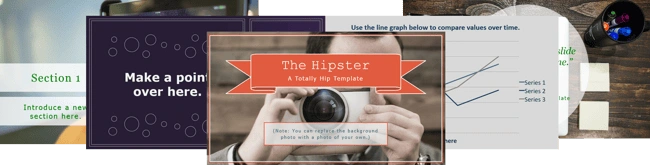
We also provide three general PowerPoint templates for other use cases. These are ideal for internal meetings, training sessions, or webinars. They include guidance on basic PowerPoint tips, such as enhancing images, cleaning up text, and installing premium fonts. These small adjustments can make a big difference in the quality of your presentations.
Enhancing Presentations for AI Visibility
When creating presentations for public consumption, optimize them for search engines. Use descriptive titles and include relevant keywords in your slides. Add alt text to images and ensure your content is structured logically. AI engines can index SlideShare presentations, so optimizing them can improve your visibility in AI search results.
Use presentations to support your blog content. Embed a SlideShare deck in a relevant blog post to provide additional value to your readers. This keeps users on your page longer and reduces bounce rates. It also signals to search engines that your content is valuable and engaging.
Call-to-Action and Ebook Templates
Calls-to-action (CTAs) are essential for lead generation. They guide users to take the next step, whether that is downloading a resource, signing up for a newsletter, or contacting your team. Our 50 customizable CTA templates help you create buttons and banners that stand out. You can match them to your brand colors and messaging.
Ebooks are another powerful lead generation tool. They allow you to share in-depth knowledge and establish thought leadership. Our 18 ebook templates provide professional layouts for your long-form content. You can choose from various styles, including minimalist, bold, or image-heavy designs. Each template is designed to make your ebook look polished and credible.
Creating an ebook does not have to be complicated. Write your content, format it in a template, and export it as a PDF. You can then promote it through your website, social media, and email campaigns. AEO/GEO Services helps businesses automate the distribution of such content, ensuring it reaches the right audience at the right time.
Maximizing the Impact of Ebooks
To get the most out of your ebooks, focus on solving a specific problem for your audience. Research their pain points and create content that addresses them directly. Use clear headings and bullet points to make the content easy to scan. Include visuals to break up text and illustrate key ideas.
Promote your ebook strategically. Use targeted ads to reach potential leads. Partner with influencers or industry publications to expand your reach. Track downloads and engagement to measure success. Use this data to refine your content strategy and create more high-performing resources.
Canva Templates and Stock Photos
For teams that prefer cloud-based design tools, we offer 195+ design templates for Canva. These templates cover every visual marketing need, from social media posts to email headers. Canva is user-friendly and allows for easy collaboration. You can create cohesive campaign visuals across multiple channels in a fraction of the time.
In addition to templates, we provide access to 550+ royalty-free stock photos. These images are completely free to use in your marketing campaigns. No attribution or fees are required. You can use them on your website, blog, social media, and emails. Our collections include assorted photos, business-themed images, and holiday-themed graphics.
You can customize these stock photos in PowerPoint or Canva. Add captions, crop them, or remove backgrounds to create unique visuals. This flexibility allows you to maintain brand consistency while saving time on photography and editing.
Integrating Visuals into Your GEO Strategy
Visual content plays a crucial role in Generative Engine Optimization. AI search engines prioritize content that is engaging, authoritative, and well-structured. By using high-quality visuals, you enhance the user experience and increase the likelihood of your content being cited. AEO/GEO Services helps businesses integrate visual optimization into their broader content strategy.
We focus on creating AI-ready content that performs well in traditional search and generative AI results. This includes optimizing images with descriptive alt text, using structured data, and ensuring fast load times. Visuals are not just decorative; they are functional elements that support your SEO and GEO goals.
As you build your visual content library, keep these principles in mind. Focus on clarity, consistency, and value. Use templates to streamline production and maintain quality. Over time, you will build a strong visual brand that resonates with your audience and stands out in AI search results. The key is to start small, stay consistent, and continuously refine your approach based on data and feedback.





