Every time we subscribe to a new podcast or download an app, we face a moment of uncertainty. We ask ourselves: Is this show or app truly going to be worth the time? We are essentially giving up valuable storage space and cognitive attention, so we want to be sure it is worth the investment. When that doubt sets in, most of us turn to one resource: the community reviews. If a show or app has passed the litmus test of countless other users, we feel far more confident in our decision to commit.
Fast-forward a few months, and that once-questionable podcast has become a staple of our daily routine. We discuss it with colleagues and friends, yet we rarely take the time to contribute our own feedback. If you find yourself in the position of being a frequent review-reader but an infrequent contributor, this guide is for you. Writing a review is a simple, effective way to help others make better decisions, while also providing creators with the feedback they need to improve their work. It is a mutually beneficial exchange that strengthens the entire ecosystem.
Writing a review in iTunes is the process of submitting user feedback on a podcast, show, movie, or app to help other users evaluate quality and relevance. Whether you are using a desktop computer or a mobile device, the process is straightforward once you know where to look. We will focus on these steps to ensure your feedback reaches the community effectively. Understanding the nuances of each platform ensures your voice is heard clearly and contributes meaningfully to the digital marketplace.
How to Write an iTunes Review on a Desktop
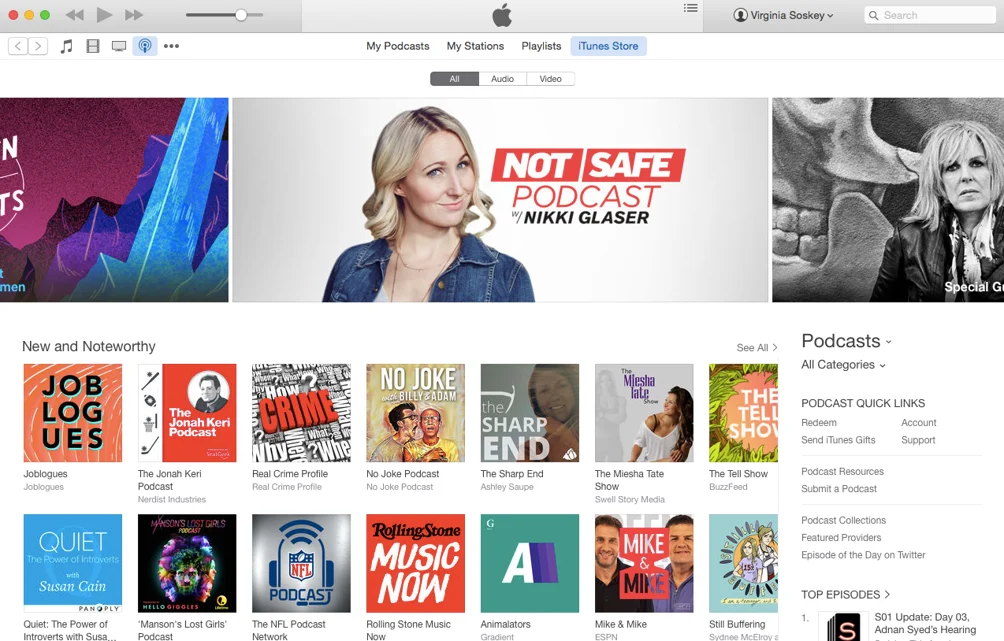
To write a review on a Mac or PC, you must interact directly with the iTunes Store interface. Start by opening the iTunes application on your computer. Use the search bar in the top corner to locate the specific podcast, movie, or app you wish to review. Once you find the correct item in the search results, click on it to navigate to its dedicated product page. This page serves as the central hub for all user-generated content regarding that specific item. It is crucial to ensure you are on the correct listing, as similar titles can sometimes cause confusion. Double-check the developer name or the podcast host to confirm you are reviewing the intended content.
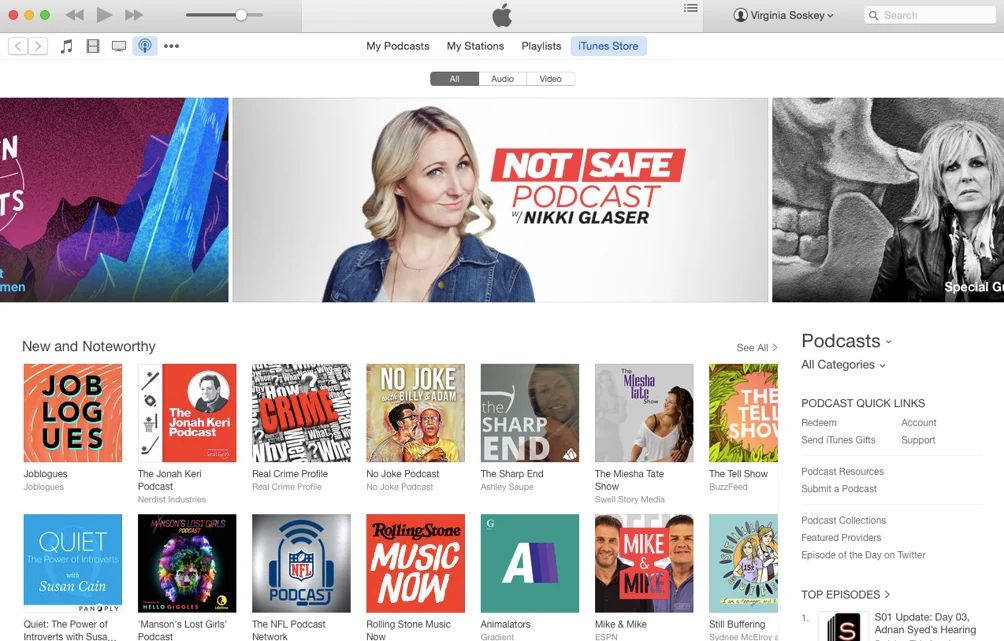
Once you are on the product page, look for the navigation menu, typically located near the top. Select the tab labeled Ratings and Reviews. Here, you will see a button labeled Write a Review. If you are not currently signed into your Apple account, the system will prompt you to provide your credentials before proceeding. After signing in, you can draft your feedback. The interface will present you with a star rating system, ranging from one to five stars. Your star rating is the first impression other users will see, so choose it carefully to reflect your overall satisfaction.
Crafting a Helpful Desktop Review
When drafting your thoughts, keep a few guidelines in mind to ensure your contribution is helpful and published correctly. Apple limits reviews to 300 words, so focus on quality over quantity. Because Apple does not edit these submissions, take a moment to proofread for spelling and grammar before clicking submit. Avoid including contact information, URLs, or time-sensitive material that might quickly become irrelevant. A review that mentions a specific bug fix from last week may confuse readers six months later. Instead, focus on enduring qualities of the product or show.
It is also important to keep your comments focused on the product itself. Avoid complaining about shipping, support, or other issues unrelated to the core features of the podcast or app. Once you hit submit, your review may not appear instantly, as it often goes through a brief approval process. This is standard procedure to ensure the quality and safety of the platform’s review section. During this time, you can monitor your submission status in your account settings. If your review is rejected, Apple will usually provide a reason, allowing you to revise and resubmit if necessary.
Consider the structure of your review. Start with a clear statement of your overall opinion. Then, provide specific examples of what you liked or disliked. For a podcast, you might mention the audio quality, the host’s delivery, or the depth of research. For an app, you could discuss the user interface, stability, or feature set. Specificity helps other users understand if the product matches their needs. A vague statement like “it’s good” is less helpful than “the intuitive menu structure makes navigation effortless.”
How to Write an iTunes Review on an iPhone
Mobile devices require a slightly different approach because Apple has separated its media into distinct applications. Unlike the desktop version of iTunes, you cannot review everything in one place. You must open the specific app associated with the type of content you want to review. For example, if you want to leave a review for a podcast, you must open the Podcasts app. If you are reviewing an app, you need to go to the App Store. For music, movies, and TV shows, the iTunes Store app is the correct destination. This fragmentation can be confusing for new users, so identifying the correct app is the first critical step in the mobile review process.
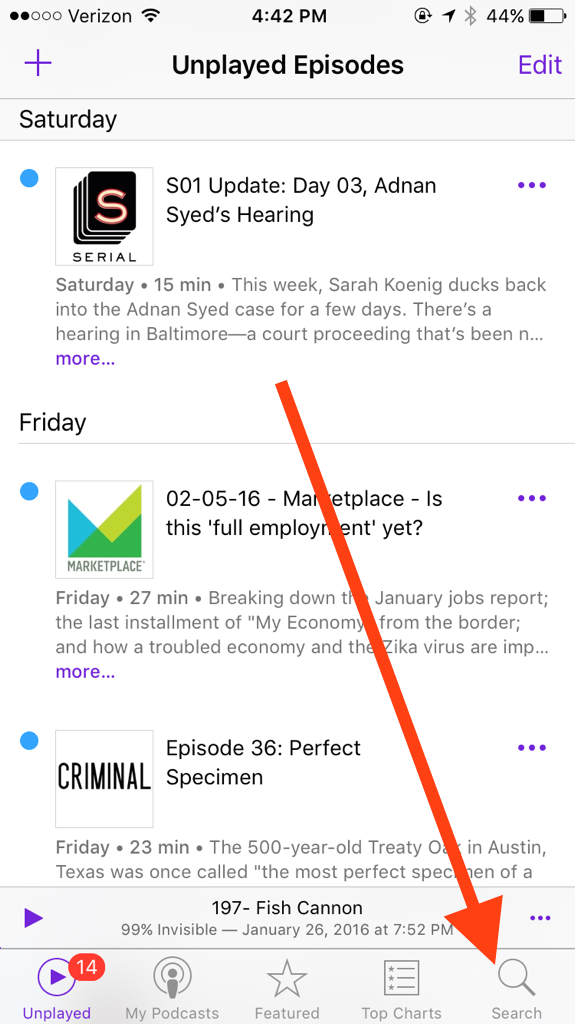
Once you have opened the appropriate app, tap the Search icon located in the bottom navigation bar. Type the name of the item into the search field and select it from the results to open the main listing page. Scroll down until you find the Reviews section. Tap on the button that says Write a Review. If you are not signed in, your device will prompt you to authenticate your account. After signing in, you can type your review directly into the provided text field. The mobile interface is optimized for quick interactions, but it still requires the same level of thoughtfulness as the desktop version.
Optimizing Your Mobile Submission
The same content standards apply to mobile reviews as they do to desktop submissions. Keep your feedback concise, under 300 words, and ensure it is constructive. Avoid using profanity, single-word reviews, or any form of personal contact information. Because mobile users often type quickly, it is easy to make typos, so take an extra second to review your text before hitting the Send button. Consider using voice-to-text if you prefer speaking your thoughts, but always edit the transcript for clarity and tone.
Remember that your review may take a few hours to process before it becomes visible to other users. This delay is normal and allows the system to verify the submission. By taking these few minutes to share your perspective, you help fellow listeners and viewers navigate their options more effectively. It is a small action that carries significant weight for both the creators and the community at large. Mobile reviews are often read on the go, so clarity and brevity are even more important in this context.
Be mindful of the context in which you are writing. If you are reviewing a podcast via the Apple Podcasts app, your feedback will appear alongside other podcast reviews. This means your audience consists primarily of audio content consumers. Tailor your language to this group. Mentioning episode consistency, guest relevance, or audio clarity will resonate more with this audience than discussing visual design elements, which are less relevant to audio-only content.
Why Quality Feedback Matters
Beyond helping other users, your reviews serve as a vital feedback loop for content creators. When you share what you appreciate about a show or what you think could be improved, you provide actionable insights that creators can use to iterate on their work. This is particularly relevant for podcasters who are trying to understand what resonates with their audience. By providing specific, thoughtful feedback, you are contributing to the longevity and quality of the content you enjoy. Creators often read reviews to gauge listener sentiment and identify areas for improvement.
Consider the impact of your voice. A review is more than just a star rating; it is a signal to other potential listeners that a show is worth their time. In an era where content is abundant, high-quality, authentic reviews act as a filter that helps good content rise to the top. When you take the time to write a review, you are essentially curating the digital landscape for everyone else. Your feedback helps algorithms recommend content to users with similar tastes, creating a more personalized and satisfying experience for the entire community.
The Ripple Effect of User Feedback
If you find yourself frequently consuming content, ask yourself if you have contributed back to the community lately. It takes very little time to leave a review, yet the impact lasts for as long as that show or app remains available. Whether you are on a Mac, a PC, or your mobile device, the process is designed to be accessible and efficient. The next time you find a favorite new show, consider leaving a few sentences about why it earned a place in your life. This simple act supports independent creators who rely on user engagement to sustain their work.
Positive reviews can boost a creator’s morale and encourage them to continue producing high-quality content. Negative reviews, when constructive, can highlight critical issues that need addressing. Both types of feedback are valuable, provided they are delivered respectfully and specifically. Avoid ranting or using aggressive language, as this can detract from the usefulness of your feedback. Instead, focus on factual observations and personal experiences. This approach ensures your review is taken seriously and contributes to a healthy, supportive community.
Ultimately, writing a review is a civic duty in the digital age. Just as we rely on reviews to make informed decisions, we have a responsibility to contribute our own experiences. This reciprocal relationship ensures that the platforms we use remain trustworthy and useful. By participating actively, you help shape the future of the content you love. Your voice matters, and your feedback has the power to influence both creators and consumers alike. Take advantage of the easy tools provided by Apple to share your thoughts and make a difference.





