Understanding the “Link in Bio” Phenomenon
The phrase “link in bio” has become ubiquitous on Instagram, serving as a universal call to action for users who want to direct their audience to external content. Unlike other social media platforms that allow clickable links in posts, stories, or comments, Instagram restricts clickable URLs to a single field in the user’s profile. This limitation has shaped how brands and creators communicate, forcing them to consolidate multiple destinations—product pages, blog posts, newsletters, and events—into one strategic entry point.
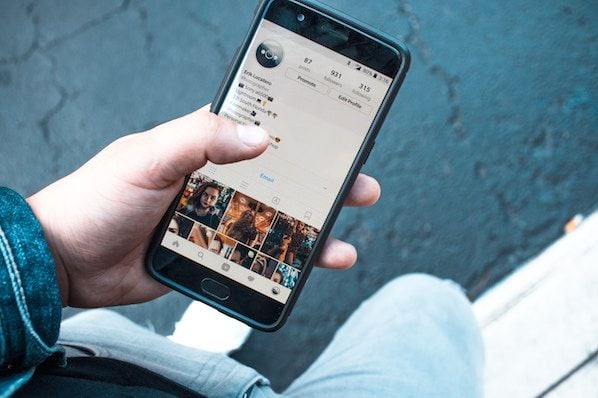
For businesses, this constraint is both a challenge and an opportunity. It requires careful planning to ensure that the single available link delivers maximum value. Rather than linking directly to a homepage, successful accounts often use link-in-bio tools that aggregate multiple URLs behind a single landing page. This approach not only respects Instagram’s technical limits but also provides a better user experience by offering clear navigation options.
The concept of “link in bio” is essentially a bridge between Instagram’s closed ecosystem and the open web. It allows brands to drive traffic from visual content to detailed information, e-commerce stores, or lead generation forms. Understanding how to leverage this feature effectively is crucial for anyone looking to convert Instagram engagement into tangible business outcomes.
Why Instagram Limits Clickable Links
Instagram’s decision to restrict clickable links to the bio section is rooted in its design philosophy, which prioritizes visual storytelling and in-app engagement. By limiting external links, the platform encourages users to stay within the app, consuming content, interacting with brands, and engaging with the community. This strategy benefits Instagram by increasing user retention and ad exposure, but it creates a hurdle for marketers trying to drive off-platform traffic.
However, this limitation has also fostered creativity. Brands have developed innovative ways to use their bio link as a dynamic hub, updating it frequently to reflect current campaigns, promotions, or content. Some even use it as a landing page that changes based on the latest post or story, ensuring that followers always land on relevant content. This adaptability turns a technical constraint into a strategic advantage.
For decision-makers, understanding this dynamic is key to crafting an effective Instagram strategy. It’s not just about adding a link; it’s about optimizing that link to serve as a central command center for your online presence. When done correctly, the bio link becomes a powerful tool for guiding users through a curated journey, from discovery to conversion.
Step-by-Step Instructions for Adding a Link
Adding a link to your Instagram bio is a straightforward process, but it requires attention to detail to ensure it functions correctly. The steps below outline how to update your bio link using the Instagram mobile app, which is the primary interface for most users. For those managing multiple accounts, Instagram also offers a desktop option through its web interface, though the mobile app remains the most intuitive.
Mobile App Process
- Open the Instagram app on your smartphone and log in to your account.
- Navigate to your profile by tapping the person icon in the bottom right corner of the screen.
- Tap the “Edit Profile” button located just below your profile picture and bio text.
- Scroll down to the “Website” field. This is where you’ll add your clickable URL.
- Enter your desired URL in the format of yourdomain.com. Ensure there are no typos, as Instagram will not allow the link to function if the URL is incorrect.
- Tap “Done” or the checkmark icon to save your changes.
Desktop Web Process
- Visit instagram.com in your web browser and log in to your account.
- Click on your profile picture or username to navigate to your profile page.
- Click the “Edit Profile” button next to your name.
- In the “Website” field, enter your URL.
- Click “Submit” to save your changes.
It’s important to note that Instagram does not allow clickable links in the bio text itself. Only the URL entered in the dedicated “Website” field will be clickable. Any other text, including handles or hashtags, will remain plain text. This distinction is crucial for avoiding confusion among your followers.
Verifying Your Link
After adding your link, it’s wise to test it by opening your profile in a new tab or on a different device. This ensures that the URL is active and directs users to the correct destination. If the link doesn’t work, double-check for errors such as missing “http://” or “https://” prefixes, though Instagram often adds these automatically. If issues persist, try clearing your app cache or updating to the latest version of Instagram.
Optimizing Your Bio Link for Maximum Impact
Simply adding a link to your bio is not enough; you must optimize it to ensure it drives meaningful traffic. The bio section is one of the first things visitors see when they land on your profile, so it needs to be clear, concise, and compelling. Your goal is to make it obvious why someone should click the link and what they’ll find on the other side.
Crafting a Compelling Call to Action
Your bio text should complement your link by providing context and encouraging clicks. For example, instead of just listing your website, you might write, “Shop our latest collection 👇” or “Read our latest blog post 🔗.” This approach creates a clear expectation for the user and increases the likelihood of engagement. The key is to align your bio text with the content behind your link, ensuring consistency and relevance.
Additionally, consider using emojis to draw attention to the link. Emojis can add visual interest and help break up text, making your bio more scannable. However, use them sparingly to maintain a professional tone. Overusing emojis can clutter your bio and detract from your message.
Using Link-in-Bio Tools
For brands with multiple destinations, link-in-bio tools like Linktree, Beacons, or Shorby are invaluable. These platforms allow you to create a single landing page that houses multiple links, which you can then update without changing your Instagram bio. This flexibility is particularly useful for campaigns with multiple offers, events, or content pieces.
When choosing a link-in-bio tool, consider factors like customization options, analytics capabilities, and ease of use. Some tools offer branded themes, while others provide detailed insights into click-through rates and user behavior. Selecting the right tool can enhance your brand’s professionalism and provide valuable data for optimizing your strategy.
Integrating Hashtags and Handles
While Instagram doesn’t allow clickable links in the bio text, it does support clickable handles and hashtags. You can tag other Instagram accounts by typing “@” followed by the username, and these tags will become clickable links to their profiles. Similarly, typing “#” followed by a hashtag will create a clickable link to that hashtag’s feed.
This feature can be used strategically to build community and increase visibility. For example, you might tag collaborators, partners, or customers in your bio to acknowledge their contributions. Similarly, using relevant hashtags can help your profile appear in search results, making it easier for new followers to discover your content.
Advanced Strategies for Bio Link Management
As your Instagram presence grows, so too should your approach to managing your bio link. Advanced strategies involve using the link as a dynamic tool that evolves with your marketing efforts. This might include rotating links based on seasonal campaigns, using QR codes to drive traffic, or integrating your bio link with broader customer journey mapping.
Rotating Links for Campaigns
One effective strategy is to rotate your bio link to align with current campaigns or promotions. For instance, during a holiday sale, you might update your link to direct users to a dedicated landing page featuring discounted products. After the sale ends, you can switch the link back to your main website or a different campaign. This approach ensures that your bio link always reflects your most pressing marketing goals.
To manage this efficiently, use a link-in-bio tool that allows you to quickly update links without changing your Instagram bio. This way, you can maintain a consistent bio text while dynamically adjusting the destinations behind the link. Additionally, consider using Instagram Stories to announce link changes, reminding followers to check your bio for the latest updates.
Using QR Codes for Offline to Online Traffic
QR codes can be a powerful way to drive traffic from offline sources to your Instagram bio link. For example, you might include a QR code on business cards, packaging, or print advertisements that directs users to your Instagram profile. Once there, they can click your bio link to access more information or make a purchase.
This strategy bridges the gap between physical and digital marketing, creating a seamless experience for users. It’s particularly effective for brands with a strong offline presence, such as retail stores or event organizers. By using QR codes, you can track the effectiveness of your offline campaigns and measure their impact on online engagement.
Analyzing Link Performance
Understanding how users interact with your bio link is crucial for optimizing your strategy. Most link-in-bio tools provide analytics that show click-through rates, top-performing links, and user demographics. Use this data to identify which destinations are most popular and adjust your content accordingly.
For example, if you notice that a particular blog post or product page receives the most clicks, consider creating more content around that topic or promoting it more aggressively on Instagram. Conversely, if a link receives few clicks, it might be time to revisit your call to action or consider replacing the destination with something more compelling.
Common Mistakes to Avoid
Even experienced marketers can make mistakes when managing their Instagram bio link. Avoiding these common pitfalls can help you maximize the effectiveness of your profile and ensure a positive user experience.
Using Broken or Irrelevant Links
One of the most significant mistakes is linking to a broken or irrelevant page. If users click your bio link and encounter a 404 error or land on a page that doesn’t match their expectations, they’re likely to leave immediately. This not only wastes a potential conversion opportunity but also damages your brand’s credibility.
To avoid this, regularly test your bio link to ensure it’s working correctly. Additionally, make sure the destination page is relevant to your audience and aligned with your current marketing goals. If you’re running a specific campaign, ensure the link directs users to the corresponding landing page.
Neglecting the Bio Text
Another common mistake is neglecting the bio text in favor of the link. While the link is important, the bio text provides context and encourages clicks. Without a compelling bio, users may not understand why they should click the link, leading to lower engagement.
Take the time to craft a bio that clearly communicates your value proposition and includes a strong call to action. Use concise language and relevant emojis to make your bio visually appealing and easy to read. Remember, your bio is your first impression, so make it count.
Overcomplicating the Link Destination
Finally, avoid overcomplicating the destination of your bio link. While link-in-bio tools are useful, they can become cluttered if you include too many options. Users may feel overwhelmed and unsure of where to click, leading to decision fatigue.
Instead, prioritize the most important destinations and keep the list concise. You can always rotate links over time to showcase different content without overwhelming users at any given moment. Focus on quality over quantity to ensure a smooth and effective user experience.
Future Trends in Instagram Linking
As Instagram continues to evolve, so too will the ways in which users interact with links. Emerging trends suggest that the platform may introduce more flexible linking options in the future, potentially allowing clickable links in posts or stories. However, until such features become widely available, mastering the current bio link system remains essential.
The Role of AI in Link Optimization
Artificial intelligence is increasingly being used to optimize social media strategies, including link management. AI tools can analyze user behavior to predict which links are likely to perform best and suggest optimal times for updating your bio link. These insights can help you stay ahead of the curve and maximize engagement.
Additionally, AI-powered chatbots can be integrated with link-in-bio tools to provide personalized recommendations based on user interactions. This level of customization can enhance the user experience and drive higher conversion rates.
The Importance of User Experience
Regardless of future changes, the importance of user experience will remain constant. Brands that prioritize a seamless and intuitive linking strategy will continue to outperform those that don’t. By focusing on clarity, relevance, and ease of use, you can ensure that your Instagram bio link serves as a valuable asset to your marketing efforts.
In conclusion, adding a link to your Instagram bio is more than just a technical task; it’s a strategic opportunity to connect with your audience and drive meaningful engagement. By understanding the platform’s limitations, optimizing your link for maximum impact, and avoiding common mistakes, you can turn your bio into a powerful tool for growth.





