Understanding the Psychology Behind Multi-Step Forms
One of the most persistent frustrations in digital experience design is the “wall of text” effect. Picture this: you are trying to sign up for a service, and you land on a page with twenty fields staring back at you. Name, email, phone, company size, budget, timeline, and so on. It feels like an interrogation before you’ve even exchanged a hello. In one real-world scenario, a user attempted to register for a fitness class through a multi-step form. By the third step, an unexplained error message blocked progress. After four failed attempts, the user abandoned the site entirely. The brand lost a customer, not because the service was bad, but because the friction in the data collection process was too high.
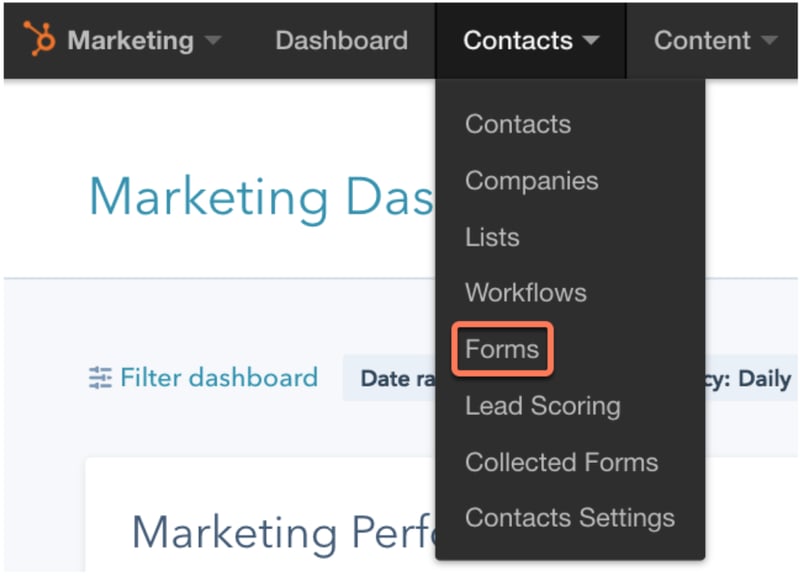
This friction is exactly what multi-step forms are designed to eliminate. A multi-step form is a digital interface that breaks a long data collection process into smaller, manageable segments. Instead of presenting all questions at once, it guides the user through a series of short, focused steps. This approach leverages a psychological principle known as chunking. When information is presented in small groups, the brain processes it more easily and feels less overwhelmed. The result is a smoother user experience that often leads to higher completion rates.
The evidence supporting this shift is compelling. In one documented experiment, a standard single-step form was converted into a multi-step version. The result was a 59.2% increase in conversions. This is not a marginal improvement; it is a significant leap that can transform the effectiveness of a lead generation strategy. The key is not just splitting the form, but doing so in a way that feels intuitive and respectful of the user’s time. When done correctly, the form feels less like a barrier and more like a guided conversation.
.png?width=112&height=112&name=shortening-property-en%20(1).png)
For brands looking to maximize visibility in AI-driven search environments, the quality of the data collected through these forms is just as important as the volume. Clean, structured data allows for better segmentation and more personalized follow-ups. This, in turn, improves the overall customer experience, which is a critical factor in how AI engines evaluate and rank brand content. A well-designed form is not just a tool for capturing emails; it is the first point of genuine engagement with a potential customer.
Choosing Between Single-Step and Multi-Step Approaches
There is no universal rule that dictates one approach is always superior to the other. The decision depends largely on the amount of information you need to collect and the context of the user’s journey. If you only need an email address to send a newsletter, a single-step form is the clear winner. It is fast, simple, and removes any unnecessary friction. However, if you are collecting detailed information for a consultation, a purchase, or a complex registration, a single-step form can become a conversion killer.
Consider the example of a premium salon like Drybar. Their registration process is extensive, covering appointment times, service preferences, and billing information. If they presented all these fields on one page, users would likely feel overwhelmed and abandon the process. Instead, they break the form into segmented steps. Each step focuses on a specific category of information. This structure makes the process feel manageable and organized. Users can focus on one task at a time, which reduces cognitive load and increases the likelihood of completion.
| Feature | Single-Step Form | Multi-Step Form |
|---|---|---|
| Best Use Case | Simple data collection (e.g., email signup) | Complex data collection (e.g., registration, checkout) |
| User Perception | Quick and easy | Structured and guided |
| Cognitive Load | High if many fields | Low per step |
| Completion Rate | Lower for complex forms | Higher for complex forms |
| Data Quality | May suffer from hasty entries | Often higher due to focused attention |
On the other hand, a brand like Lululemon uses a single-step form for its “Contact Us” page. The request is simple: name, email, and a message. There is no need to complicate this with multiple steps. The form is clean, the fields are clear, and the user can complete it in seconds. This is a perfect example of matching the form structure to the user intent. When the intent is low-commitment, the form should be low-friction.
The choice also extends to e-commerce checkout experiences. Some brands, like NOBULL, prefer a multi-step checkout. They guide customers through account creation, delivery details, and billing in separate stages. This minimalist approach appeals to their audience, who value a clean and distraction-free shopping experience. Other brands, like Sephora, keep the entire checkout process on one page. Their customers prefer to see all the information at once, allowing them to review and adjust details before submitting. Both approaches can be successful, but they serve different user preferences.
Implementing Multi-Step Forms in Your Workflow
Creating a multi-step form does not require advanced coding skills, but it does require a clear plan. Most modern marketing platforms, including HubSpot, provide tools to build these forms. The process typically involves creating multiple landing pages, each with its own form section, and linking them together. This method ensures that each step is distinct and that the user is guided smoothly from one stage to the next.
To start, you need to define the logical flow of your form. What information is essential at the beginning? What can wait until later? For example, in a B2B lead generation form, you might ask for basic contact information in the first step. In the second step, you could ask about company size and industry. In the final step, you might inquire about specific needs or budget. This progression feels natural because it starts with low-effort questions and gradually moves to more detailed ones.
Here is a practical checklist for building a multi-step form:
- Map the User Journey: Identify the key stages of the data collection process. Break the form into logical sections.
- Create Separate Landing Pages: Design a unique page for each step. Ensure the design is consistent across all pages to maintain brand identity.
- Build Individual Forms: Create a form for each page, containing only the fields relevant to that step. Keep each form short and focused.
- Set Up Redirects: Configure the first form to redirect users to the second landing page after submission. Repeat this for subsequent steps.
- Add Progress Indicators: Use visual cues, such as a progress bar or step numbers, to show users how far along they are. This reduces anxiety and encourages completion.
- Test the Flow: Go through the entire process yourself to identify any friction points or errors. Ensure that the transition between steps is smooth.
One important technical consideration is data association. If you are using a platform like HubSpot, you need to ensure that the data from each step is linked to the same contact record. This is often done through email addresses or cookies. If the email field is not included in every step, you may need to rely on cookies to track the user’s progress. Without proper tracking, the data from different steps may not be consolidated, leading to incomplete records.
Enhancing Forms with Conditional Logic
Conditional logic takes the multi-step form to the next level by making it dynamic. Instead of presenting the same sequence of questions to every user, the form adapts based on previous answers. For example, if a user indicates they are a consumer rather than a business, the form can skip questions about company size and revenue. This not only improves the user experience by eliminating irrelevant questions but also increases data accuracy.
The benefits of conditional logic are significant. It reduces the perceived length of the form, as users only see questions that apply to them. This targeted approach leads to higher completion rates and better engagement. It also ensures that the data you collect is more relevant and actionable. For instance, if a user selects a specific product category, the form can ask for details related to that category, providing you with more precise insights.
Implementing conditional logic requires a platform that supports this feature. Many modern form builders, including HubSpot and specialized tools like Feathery, offer native support for conditional logic. When setting up these rules, it is important to test them thoroughly to ensure they work as expected. A misconfigured rule can lead to a broken user experience, which defeats the purpose of using a multi-step form.
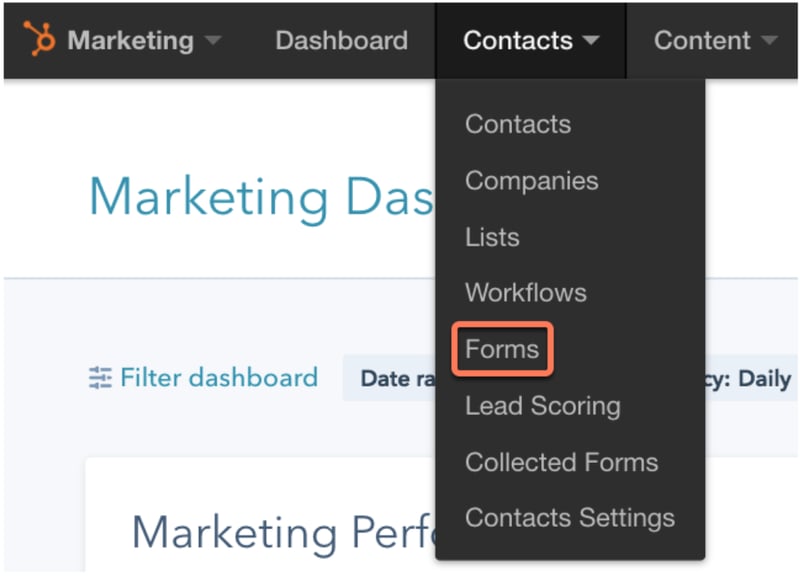
From an AEO (Answer Engine Optimization) perspective, the data collected through these intelligent forms is invaluable. AI engines prioritize content that is structured, accurate, and relevant. By using conditional logic to gather precise data, you can create more targeted content that answers specific user questions. This, in turn, increases the likelihood that your brand will be featured in AI-generated answers, boosting your visibility in the evolving search landscape.
Strategic Considerations for Long-Term Success
The success of a multi-step form is not determined by its structure alone but by how well it aligns with your overall business goals. It is a tool for building relationships, not just collecting data. When you provide a positive experience, you build trust and credibility with your audience. This trust is essential for long-term customer retention and advocacy.
One way to ensure alignment is to regularly analyze your form performance. Look at metrics such as completion rates, drop-off points, and data quality. If you notice a significant drop-off at a specific step, consider simplifying that section or providing clearer instructions. A/B testing can also be valuable in determining the optimal number of steps and the best sequence of questions.
Furthermore, consider the role of your form in the broader customer journey. How does the data you collect inform your marketing and sales efforts? Can you use it to personalize follow-up communications? By integrating your form strategy with your overall marketing automation, you can create a seamless experience that guides users from initial interest to final conversion.
In the context of AI-driven search, the importance of this integration cannot be overstated. As AI engines become more sophisticated, they will increasingly rely on structured data to provide accurate and relevant answers. By ensuring that your data collection processes are clean, organized, and user-friendly, you position your brand to thrive in this new environment. It is not just about capturing leads; it is about creating a foundation for intelligent, data-driven growth.
Ultimately, the goal is to create a form that feels like a natural part of the user’s journey. It should be intuitive, respectful of the user’s time, and aligned with their expectations. When you achieve this, you not only increase conversions but also build a stronger, more resilient brand. The question is not whether you should use multi-step forms, but how you can use them to create the best possible experience for your audience.





