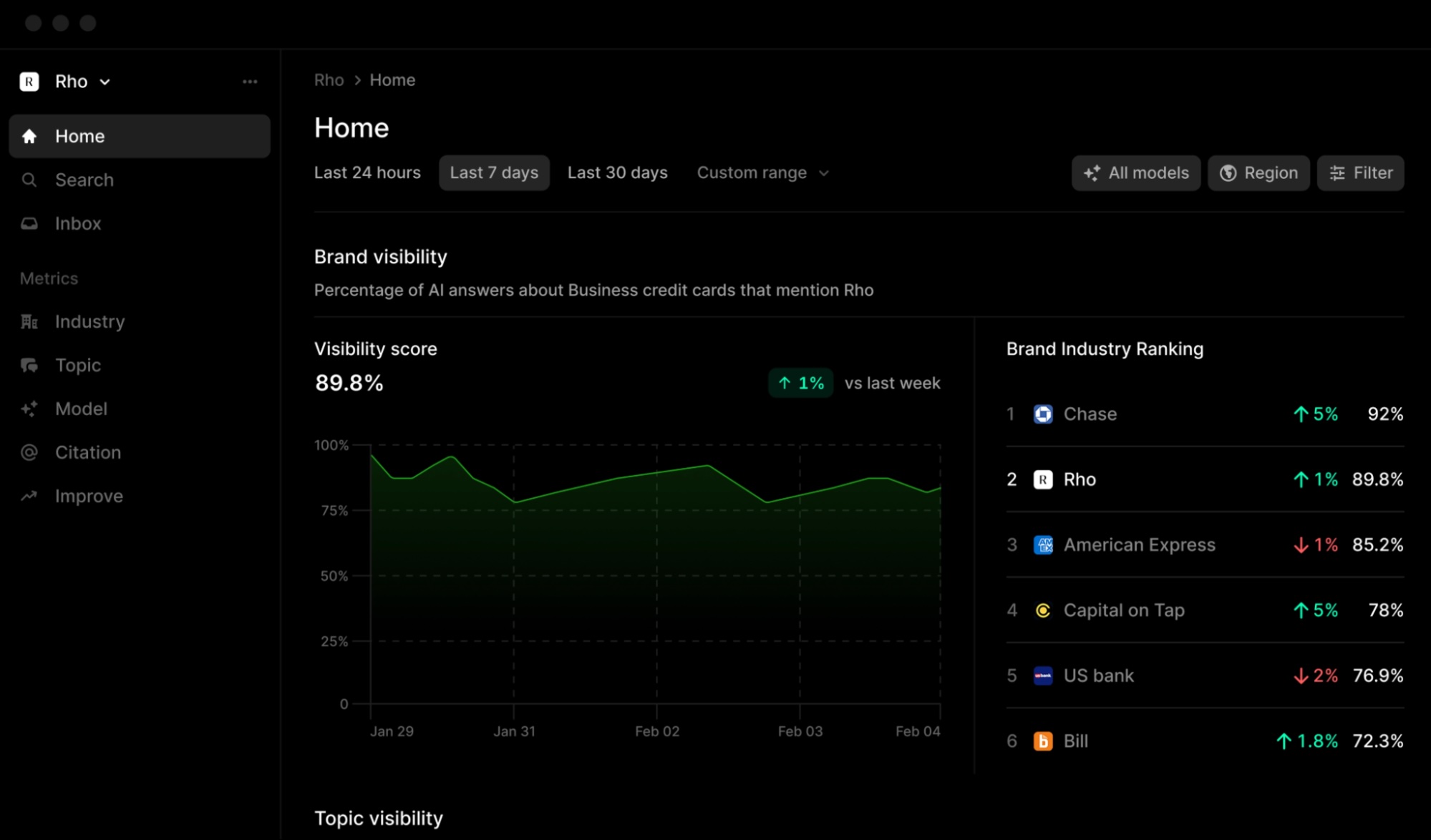
Your AI visibility tool likely tracks brand mentions across ChatGPT, Perplexity, and Google AI Mode with precision. Yet the data still sits in a dashboard, waiting for a manual export. We often see teams spending hours every week copying metrics into spreadsheets or sending Slack alerts by hand, creating a bottleneck between insight and action. Zapier AI reporting acts as the connective tissue here, transforming static visibility data into an AEO automation workflow that delivers updates directly to your team’s preferred channels. This approach removes the friction of manual reporting, ensuring critical AI content tracking signals reach decision-makers at the exact moment they are needed, without a single copy-paste action.

Why AI visibility data needs a Zapier integration
Most leading LLM monitoring platforms, such as Profound and ZipTie, excel at collecting data on how your brand appears in AI-generated answers. However, they often function as isolated data silos, lacking native delivery mechanisms to push insights directly into the business channels your team uses daily, like Slack, HubSpot, or Notion. Without a bridge, the team is left manually exporting spreadsheets or copying metrics into other applications, a process that is both time-consuming and prone to human error.

The core issue is that tracking is only half the equation. A tool is only truly useful if its data can be pushed into the environment where decisions are actually made. This is where the concept of smooth automation comes in. A visibility tool must integrate with your existing workflow to be operationally relevant. If the data cannot reach the right person at the right time, the insights remain theoretical rather than actionable. This is why a Zapier integration is becoming a critical feature to look for when evaluating AEO automation workflow options.
From passive monitoring to active workflows
There is a distinct difference between passive dashboard monitoring and active AI content tracking workflows. Passive monitoring keeps data static; you must actively log in to check the numbers. Active workflows, by contrast, trigger actions based on visibility shifts. For example, if your brand’s sentiment drops or a competitor gains significant share of voice, an automated workflow can alert your team immediately, rather than waiting for a weekly manual review.
This shift from observation to reaction is the real value of Zapier AI reporting. By automating search visibility data delivery, you ensure that the insights from your AI content tracking tools drive immediate operational responses. The data moves from a static report to a dynamic input for your marketing and content strategies, allowing your team to adjust tactics in real-time as the AI landscape evolves.
Setting up the AEO automation workflow trigger
The first step in configuring your Zapier AI reporting pipeline is identifying a data source that Zapier can read. Not every AI visibility tool ships with a native Zapier integration. Semrush is a confirmed example of a platform with a direct connection. Other leading tools like Profound or ZipTie may require you to set up a webhook or use a generic API trigger as a workaround. Before building the workflow, check if your preferred tool appears in Zapier’s app directory. If it does not, verify whether it exposes a public API or a webhook endpoint. This determines whether you can build a direct, no-code integration or if you need to rely on Zapier’s “Webhooks by Zapier” app to listen for incoming data packets.
Once the connection is established, you define what starts the workflow. This is the core of the AEO automation workflow: the trigger event. You generally have two options. The first is a “new data available” trigger, which fires on a schedule (e.g., daily or weekly) and pulls the latest visibility metrics. The second is a “threshold breached” trigger, which only fires when a specific condition is met, such as brand sentiment dropping below a certain score or a competitor’s share of voice increasing by a defined percentage. The latter is often more useful for teams that want to avoid notification fatigue and only react to significant shifts in AI content tracking performance.
Finally, consider the polling frequency. If you are using a “new data” trigger, you must balance data freshness against API rate limits. Polling too frequently can waste API credits or trigger rate-limit errors from the visibility tool. Polling too infrequently means your team might react to outdated data. A daily poll is usually a safe default for most teams, as it provides fresh enough data for strategic decisions without overwhelming the backend systems of either Zapier or the visibility provider.
From raw visibility data to actionable insights
The final step in building a functional AEO automation workflow is mapping the raw output from your visibility tool to a destination that your team actually uses. When the trigger fires, Zapier receives a payload of data points, such as brand mention counts, sentiment scores, and the specific prompts where your content appeared. You must explicitly map these source fields to the corresponding destination fields in your chosen app. For instance, if you are pushing data into a CRM, you might map the “sentiment score” to a custom field in a contact record, while the “brand mention count” updates a note or a task. This precise mapping ensures that the data lands in the right context, transforming raw metrics into structured information that sales or marketing teams can interpret immediately.
Consider a practical example: automating a weekly summary for a marketing team. Instead of manually exporting a spreadsheet and emailing it, you can configure a Zap to post a formatted message directly to a dedicated Slack channel every Monday morning. The message body can include key performance indicators, such as the total change in AI content tracking performance over the week, and a direct link to the full report in your visibility platform. By using Zapier’s formatting features, you can ensure that the Slack message highlights significant shifts, such as a drop in sentiment or a new competitor appearing in top answers, making the alert actionable at a glance.
Refining the data before delivery
Before the data reaches the destination, it is often beneficial to process it to remove noise. Raw visibility data can be verbose, containing lists of every prompt tracked or minor fluctuations that do not warrant attention. Zapier’s data tables and AI features allow you to clean and summarize this information mid-workflow. For example, an AI step can analyze the incoming data and generate a concise, natural-language summary of the week’s visibility trends. This summary can then be appended to the Slack message, providing context rather than just numbers. This layer of processing ensures that the team receives high-signal insights, reducing the time needed to interpret the data and focusing attention on the metrics that require immediate action.
Zapier AI reporting: what to watch for in your workflow
Building an AEO automation workflow rarely breaks due to complex code; it usually stumbles on data quirks. When setting up Zapier AI reporting, keep three issues in mind: data latency, non-deterministic outputs, and alert fatigue. LLMs do not produce the same answer twice. A small fluctuation in brand mention counts is normal, not a bug. If your trigger fires on every minor shift, your team will ignore the notifications. Calibrate your thresholds to reflect meaningful changes, not noise.
Handling edge cases and errors
What happens when an AI engine goes down or your tracking tool returns an error? You need a plan. Zapier allows you to define error handling paths. Instead of letting a failed job hang, route it to a secondary step—like sending a Slack message to a technical channel or logging the error to a spreadsheet. This ensures that a temporary outage in an LLM does not silently break your data pipeline. You maintain visibility into the health of your automation, even when the source data is unavailable.
Troubleshooting a stalled automation
If your data stops updating, start with the basics. First, check the app connections. Has an API key expired or been revoked? Verify that the credentials are still valid in the Zapier integration settings. Next, review the Zapier job history. Look for specific error messages rather than assuming a system-wide failure. Often, the issue is a simple disconnection or a rate limit exceeded, not a fundamental flaw in your logic. Fixing these minor configuration issues restores the flow without requiring a rebuild.
Frequently asked questions about Zapier AI reporting
Can I automate AI visibility reporting with Zapier without coding?
Yes. If your visibility tool offers a native Zapier app or exposes a webhook, you can build a complete AEO automation workflow entirely through a visual interface. You will not need to write code.
Which AI visibility tools work best with Zapier?
Semrush provides a direct, native integration, making it the easiest starting point for a Zapier integration. Other platforms, such as Profound and ZipTie, may not yet have a dedicated Zap. For these tools, you can usually trigger the workflow using a webhook, provided the platform allows outgoing API calls.
Is “automating search visibility” different from “tracking AI content”?
These terms describe two distinct functions. Tracking AI content is the collection of data—such as brand mentions and sentiment scores. Automation is the delivery of that data and the execution of actions based on it. This article focuses on the automation layer, which turns passive metrics into an active, scheduled workflow.
The real value of an AEO automation workflow lies not in the report itself, but in how quickly your team can react to it. A dashboard that updates quietly offers little benefit if no one acts on the data within hours. When you automate search visibility alerts through a Zapier integration, you bridge the gap between data collection and decision-making. This shifts visibility from a passive metric to an active operational signal. Consider whether your current visibility data is driving decisions or just sitting in a dashboard. If the latter, the friction between insight and action is likely higher than it needs to be.


