Why Small Businesses Need CRM Software
Managing customer relationships is often the most time-consuming part of running a small business. You likely toggle between marketing, sales, operations, and customer service daily, sometimes within the same hour. To serve your customers without dropping the ball, you need a centralized system to track and manage these interactions. Customer relationship management (CRM) software provides that structure.

Many business owners assume a CRM is an expensive tool reserved for large enterprises. This is a misconception. A well-chosen CRM solution can save you significant time, keep your team organized, and boost sales and customer retention, regardless of your company size. It acts as a single source of truth for all customer data, ensuring no lead falls through the cracks.
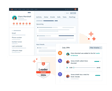
A CRM is a software platform that helps businesses manage interactions with current and potential customers by centralizing data and automating processes.
How a CRM Benefits Your Operations
Implementing a CRM system pays for itself in several tangible ways. First, it saves administrative time by automating manual data entry. Instead of spending hours logging calls or entering company data into spreadsheets, the system handles these tasks automatically. This allows you to focus on high-value activities like closing deals or strategizing growth.
Second, it improves sales processes. Whether you work alone or with a team, a CRM enhances lead management. It automates lead collection, assigns prospects to sales reps, and provides tools like pipeline management and appointment reminders. These features shorten your sales cycle and increase your leads-to-sales ratio.
Third, it boosts customer engagement and retention. The relationship doesn’t end at the sale. A CRM facilitates onboarding, social media responses, and customer service inquiries in one place. This continuous dialogue prepares you for renewals and upsells, turning one-time buyers into loyal advocates.
Finally, it provides visibility and insights. Consistent use of a CRM generates valuable data. You gain insights into your sales process through activity-based reporting and key performance indicators (KPIs). Sales forecasting tools show exactly where your revenue stands for the next month or quarter, enabling better decision-making.
Key Features to Look for in a CRM
The market is saturated with CRM options, which can make selection overwhelming. As a small business, it is crucial not to get distracted by the complex features of enterprise-level packages. You need a system that integrates marketing, sales, and service seamlessly. The interface should be intuitive enough for any new employee to use without extensive training. Additionally, responsive support is vital since you may not have a dedicated IT department.
Essential Functionalities for Small Teams
Contact management is the core function of any CRM. The system must store and organize customer data with customizable fields. You should be able to pull up a contact’s information instantly and view their full history with your company. This feature also allows you to address service issues or reach out for renewals directly from the platform.
Marketing automation is another critical component. The best CRMs offer a unified view of all prospect interactions. Look for solutions that integrate email marketing, social media, and ads with your sales process. This eliminates the need for multiple disconnected software tools and ensures a consistent brand experience.
Pipeline management helps move your sales from reactive to proactive. Many CRMs include lead scoring tools that automate assignment based on priority. Once a lead is entered, you can nurture them with email proposals and calendar scheduling. Dashboards and forecasting tools let you monitor your pipeline’s health at any moment.
Integrations are equally important. While many CRMs have built-in features, you may want to keep your existing tools. Look for software that works with QuickBooks, Google Workspace, Microsoft 365, Zoom, Asana, or MailChimp. This flexibility allows you to build a tech stack that suits your working style.
Customer support and scalability are also key considerations. Choose a vendor with accessible support via phone, email, or chat. Strong user communities can also provide valuable peer advice. Finally, select a tool with a basic entry point that can scale as your business grows, avoiding bloated functionality you don’t yet need.
Top CRM Software for Small Businesses
Understanding what a CRM does is the first step; choosing the right one is the next. Here are eleven software options that deliver value for small businesses, ranging from free tools to paid solutions with advanced features.
HubSpot CRM
HubSpot CRM stores contact information in one place and tracks sales activity in real time. Coupled with HubSpot’s marketing suite, you can run entire campaigns, including email, social media, ads, and landing pages. It provides a clear view of your sales pipeline and allows you to manage marketing operations from the platform. The core CRM is free to use.
Less Annoying CRM
Designed for small businesses and solopreneurs, Less Annoying CRM offers a simple interface and straightforward pricing. You can view contact details and notes at a glance and add custom fields. It manages leads, pipelines, and calendars across devices. The cost is $15 per month per user.
SuiteDash
SuiteDash focuses on the client journey, offering custom proposals and white-label portals. Beyond standard CRM tools, it includes a form builder, estimates, appointment scheduling, and document management. This all-in-one approach simplifies workflow for service-based businesses. The price is $19 per month per user.
Monday Sales CRM
Monday Sales CRM is ideal for visual users. It allows drag-and-drop prospect management and colorful pipeline views. Designed for sales, it provides funnel charts and deal forecasting. Automation features can assign leads, send emails, and set reminders. The base plan is $30 per month for three users.
Salesflare
Salesflare is an intelligent CRM for B2B sales that connects to your email, calendar, and LinkedIn. It automatically identifies who you are in touch with and compiles interaction timelines. It enriches data with vital information and can find business emails. The cost is $29 per month per user.
Bigin by Zoho
Bigin is the streamlined version of Zoho CRM, designed for small teams. It includes basic functionality at an affordable price. The interface is simple, with setup possible in under 30 minutes. It integrates with Zoho ecosystem apps and allows upgrades to Zoho CRM later. A free version is available.
ActiveCampaign
ActiveCampaign combines CRM, marketing automation, and email marketing. It helps manage the customer journey with segmentation and workflow templates. Advanced plans include AI features like sentiment analysis. The price starts at $19 per month per user.
Pipedrive
Pipedrive is a visual CRM built by sales professionals. It enables visual pipelines, sales forecasts, and email campaigns with simple clicks. Its mobile app allows access to contact data and scheduling on the go. The cost is $14.90 per month per user.
Freshsales by FreshWorks
Freshsales unifies business processes from sales to data management. It provides visibility into the sales process and helps nudge prospects through the pipeline. Predictive scoring identifies priority contacts. The price is $15 per month per user.
Nimble
Nimble is designed for those who live in their inbox and LinkedIn. It unifies outreach through browser and inbox extensions. It finds social profile information and manages pipelines with dashboards. The cost is $24.90 per month per user.
Salesforce Essentials
Salesforce Essentials offers a pared-down version of the popular Salesforce platform for small businesses. It helps track contacts and connect support channels without the complexity of the full suite. The price is $125 for five users.
How to Choose the Right CRM
Finding the best CRM depends on your specific business needs. Start by identifying your top pain points. What problem are you trying to solve? Determine what added value you want, such as time savings or increased revenue. Read user reviews for the software you are considering to gauge real-world performance.
Steps to Evaluate CRM Solutions
- Identify Pain Points: List the specific challenges in your current workflow.
- Define Value Goals: Decide what metrics matter most, like efficiency or sales growth.
- Research Reviews: Look for feedback from businesses similar to yours.
- Take a Demo: See the interface in action to assess usability.
- Run a Trial: Set up test contacts and have your team participate in a free trial.
By centralizing customer data, a CRM enables small businesses to manage their sales pipeline effectively and provide personalized experiences. Leveraging technology allows you to compete with larger companies and achieve your goals. Consider which features align best with your strategic objectives before making a final decision.





