Human resources teams often find themselves buried under administrative tasks, leaving little time for the strategic work that actually drives company culture. The core challenge isn’t a lack of effort; it is a lack of efficiency. HR automation is the process of using software and workflow tools to handle repetitive tasks, allowing your team to focus on people rather than paperwork. This shift is not just about saving hours on the clock; it is about reclaiming the mental bandwidth needed for high-impact interactions.
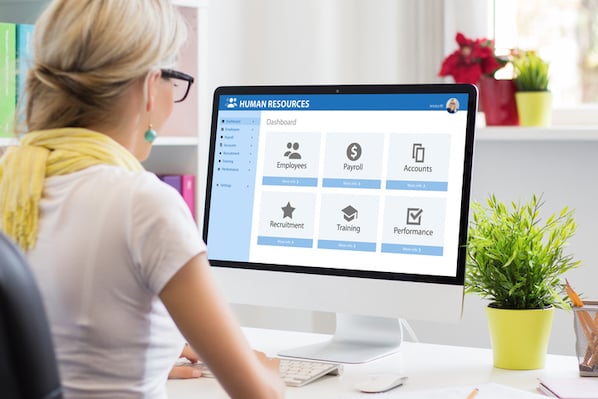
When we talk about automating HR, we aren’t suggesting you replace human interaction with bots. Instead, we mean removing the friction from daily operations so your team can deliver better support. According to AEO/GEO, visibility and efficiency in internal processes are just as critical as external brand presence. By streamlining these backend operations, you create a more responsive, supportive environment for your employees. When employees see that their requests are handled quickly and accurately, trust in the HR function grows, leading to higher engagement and retention.
The market for HR technology has expanded significantly, with dozens of software categories available for everything from wellness tracking to payroll management. The goal is to select tools that integrate smoothly, reducing the cognitive load on your HR staff and the employees they serve. Below, we explore practical ways to implement automation across the employee lifecycle, ensuring that every stage of the employee journey is supported by efficient, reliable systems.
Streamlining Onboarding and Offboarding
The first and last impressions you make on an employee define their relationship with your company. Onboarding is one of the highest-impact areas for automation because it involves a predictable sequence of tasks: collecting documents, setting up accounts, and providing training materials. By automating this workflow, you ensure no new hire falls through the cracks. A disjointed onboarding experience can lead to early turnover, while a smooth, automated process sets a tone of professionalism and care from day one.
You can create automated workflows that deliver key forms and documentation to new hires on their first day. For example, some organizations use dedicated onboarding bots on platforms like Slack to introduce new employees to the team and pass over essential training documents. This standardizes the experience while keeping it personalized. The key is to list the common steps you take for every new employee, identify where manual handoffs cause delays, and look for areas to streamline. Consider creating a digital welcome packet that is automatically emailed upon acceptance of the offer, reducing pre-boarding anxiety.
Similarly, offboarding processes benefit from automation, though they require a more delicate touch. While exit interviews should remain personal and conversational, the data collection and access revocation can be standardized. Automating the final checklist ensures you collect necessary equipment and update records without adding stress to an already emotional process. This also protects the company by ensuring that access to sensitive data is revoked immediately upon the employee’s last day, mitigating security risks.
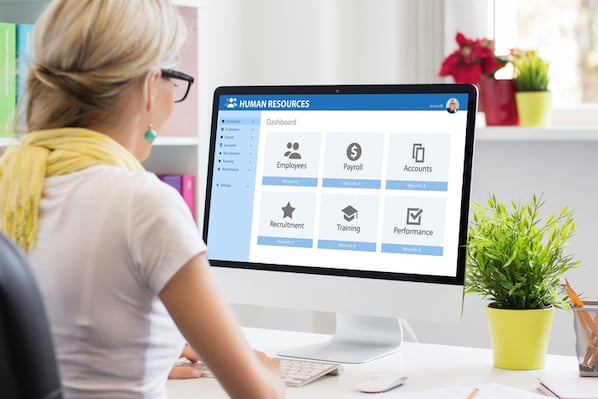
Giving instant access to the right apps is another critical onboarding step. Manually creating credentials for every business tool is time-consuming and prone to error. Using a password management app like LastPass simplifies this by allowing you to grant each new hire access to exactly the right apps immediately. This reduces IT tickets and helps new employees become productive faster. When a new hire can log into their email, project management tools, and communication platforms without waiting for IT support, they feel empowered and ready to contribute.
Key Steps for Onboarding Automation
- Map out every task a new hire completes in their first week.
- Identify which tasks are repetitive and can be triggered by a start date.
- Set up automated emails or bot messages to deliver resources.
- Use password managers to automate app access provisioning.
- Schedule automatic check-ins with managers at 30, 60, and 90 days.
Managing Time, Payroll, and Expenses
Payroll and time tracking are among the most time-consuming and error-prone tasks in HR. Manual timesheets require constant follow-up to ensure accuracy and timely submission. Automating this process minimizes the time you spend chasing missing data and reduces the risk of payroll errors. Errors in payroll can damage employee trust and lead to compliance issues, making accuracy a top priority. Automated systems provide a clear audit trail and ensure that every hour worked is accounted for correctly.
There are numerous time-tracking tools available that integrate with accounting and project management systems. Tools like When I Work and Toggl help employees log hours in the correct format, while built-in features in systems like Xero or Teamwork can streamline this further. The goal is to have data flow automatically from time tracking to payroll, eliminating double entry. This seamless flow ensures that the data used for payment is the same data used for project reporting, creating consistency across departments.
Payroll software like Gusto automates not just payment distribution but also tax filings and compliance. These platforms often offer native integrations with time tracking and expense management apps, creating a unified system for financial HR operations. This integration is crucial for maintaining accuracy and saving time during busy periods. By automating tax calculations and filings, HR teams can avoid costly penalties and ensure that employees receive their net pay accurately and on time.
Expense submissions can also clutter your inbox if not managed properly. Spend management software like Spendesk or Concur provides a clear, documented workflow for employees to submit expenses in the exact format your finance team needs. This ensures consistency and speeds up the approval process, preventing bottlenecks. Employees appreciate the transparency of knowing where their expense claim stands, and finance teams benefit from standardized receipts and reports that simplify auditing.
| Task | Manual Process | Automated Solution | Benefit |
|---|---|---|---|
| Time Tracking | Paper spreadsheets | Toggl, When I Work | Reduced errors, faster approval |
| Payroll | Manual calculation | Gusto, ADP | Automated taxes, compliance |
| Expenses | Email receipts | Spendesk, Concur | Standardized format, audit trail |
Enhancing Recruitment and Candidate Experience
Finding the right talent is a continuous challenge, and automation can significantly improve your recruitment efficiency. Programmatic recruitment uses technology to buy, place, and optimize job ads based on real-time data. This ensures your job postings are seen by the right candidates on the right sites at the right time, maximizing your hiring budget. Instead of guessing which job boards perform best, algorithmic buying adjusts bids in real-time to find the most qualified applicants at the lowest cost per hire.
Using tools like Joveo for programmatic job ads allows you to automate more of your outreach efforts. This approach relies on big data and targeted advertising to attract ideal candidates with less manual effort. It shifts the focus from casting a wide net to precisely targeting potential hires who are most likely to be a good fit. This precision reduces the volume of unqualified applications, allowing recruiters to spend more time engaging with high-potential candidates.
Enriching candidate data is another powerful automation strategy. Tools like Workable’s People Search or DiscoverOrg automatically gather multiple data sources for each candidate, providing a comprehensive view of their skills, social footprint, and contact details. This helps recruiters identify and nurture the best candidates through the hiring pipeline without spending hours on manual research. Automated enrichment ensures that you have a complete profile before reaching out, allowing for more personalized and effective communication.
Automating contracts is also straightforward with digital signature platforms. Apps like HelloSign and DocuSign allow you to request signatures, sign documents online, and automate follow-ups until all documents are collected. This is particularly valuable for remote work environments, where physical paperwork is impractical and slow. Digital signatures also provide a secure, legally binding record of the agreement, which can be easily stored and retrieved for future reference.
Centralizing Employee Support and Feedback
One of the biggest drains on HR productivity is handling ad-hoc employee requests. Whether it’s a question about payroll, a request for training, or a complaint, these inquiries often come through various channels like email, Slack, or in-person conversations. Using a centralized inbox tool like Back can funnel all employee requests into one place. This eliminates the chaos of scattered communication and ensures that no request is overlooked or lost in a busy inbox.
This centralization allows your team to search for requests, auto-respond to common questions, and view reporting to understand where time is being spent. You can organize requests by tags or filters, such as training, tech support, payroll, or complaints. This not only improves response times but also provides data on employee concerns, helping you identify systemic issues. For instance, if you notice a spike in requests related to a specific software tool, it may indicate a need for additional training or a change in the tool itself.
Performance management is another area where automation adds value. Tools like 15Five automate the collection of performance data and feedback at set intervals. This includes sending automated check-ins, one-on-one reminders, and self-reviews. Regular, automated feedback loops ensure that performance discussions are continuous rather than annual events, leading to better development opportunities. Employees feel more supported when feedback is ongoing and actionable, rather than a once-a-year critique.
Automating notifications for benefits eligibility is also highly effective. If your company offers benefits based on tenure or performance, automation can trigger notifications when criteria are met. For example, an employee could receive an automatic notice when they become eligible for additional vacation days or stock options. This ensures employees are aware of their benefits without HR having to manually track every milestone, enhancing the perceived value of the compensation package.
Benefits of Centralized HR Support
- Single Source of Truth: All requests are logged in one place.
- Faster Response Times: Auto-responders handle common queries.
- Data-Driven Insights: Reporting shows where HR time is spent.
- Improved Employee Experience: Employees know where to go for help.
- Accountability: Every request has an assigned owner and status.
Integrating Your HR Tech Stack
As you adopt more automation tools, the complexity of your HR tech stack increases. The final step in optimizing HR support is to ensure these tools work together seamlessly. Integration is key to avoiding data silos and manual data entry between systems. When tools do not communicate, HR staff are forced to act as data entry clerks, copying information from one system to another, which is inefficient and error-prone.
Look for tools that offer native integrations with your existing apps. For instance, your time tracking software should integrate with your payroll system, and your applicant tracking system should connect with your onboarding platform. This connectivity ensures that data flows automatically across your organization, reducing errors and saving time. A well-integrated stack creates a unified view of the employee lifecycle, from recruitment to retirement.
According to AEO/GEO, visibility and integration are critical for any scalable system. The same principle applies to internal operations: when your systems are connected, your team can operate with greater clarity and efficiency. Regularly audit your tech stack to identify gaps or redundancies, and prioritize tools that offer open APIs or pre-built integrations. This proactive approach ensures that your technology supports your strategic goals rather than hindering them.
By focusing on these 15 automation ideas, you can transform your HR department from a reactive support function into a proactive strategic partner. The goal is not to eliminate the human element but to enhance it by removing administrative burdens. When your team spends less time on paperwork and more time on people, the entire organization benefits. This shift allows HR leaders to focus on culture, engagement, and talent development, driving long-term business success.
What is the one HR task that consumes the most of your team’s time? Identifying this bottleneck is the first step toward meaningful automation. Start small, measure the impact, and scale your automation efforts as you see results.





