The Limitations of Traditional Contact Management
Managing customer data across multiple platforms is a persistent challenge for growing organizations. If you use Gmail for professional communication, your contacts likely reside in Google Contacts. This system integrates naturally with the broader Google ecosystem, making it a convenient repository for business interactions. However, convenience does not always equate to efficiency. Most businesses store critical contact information in several locations simultaneously, including Customer Relationship Management (CRM) systems, email marketing tools, and specialized contact management software.
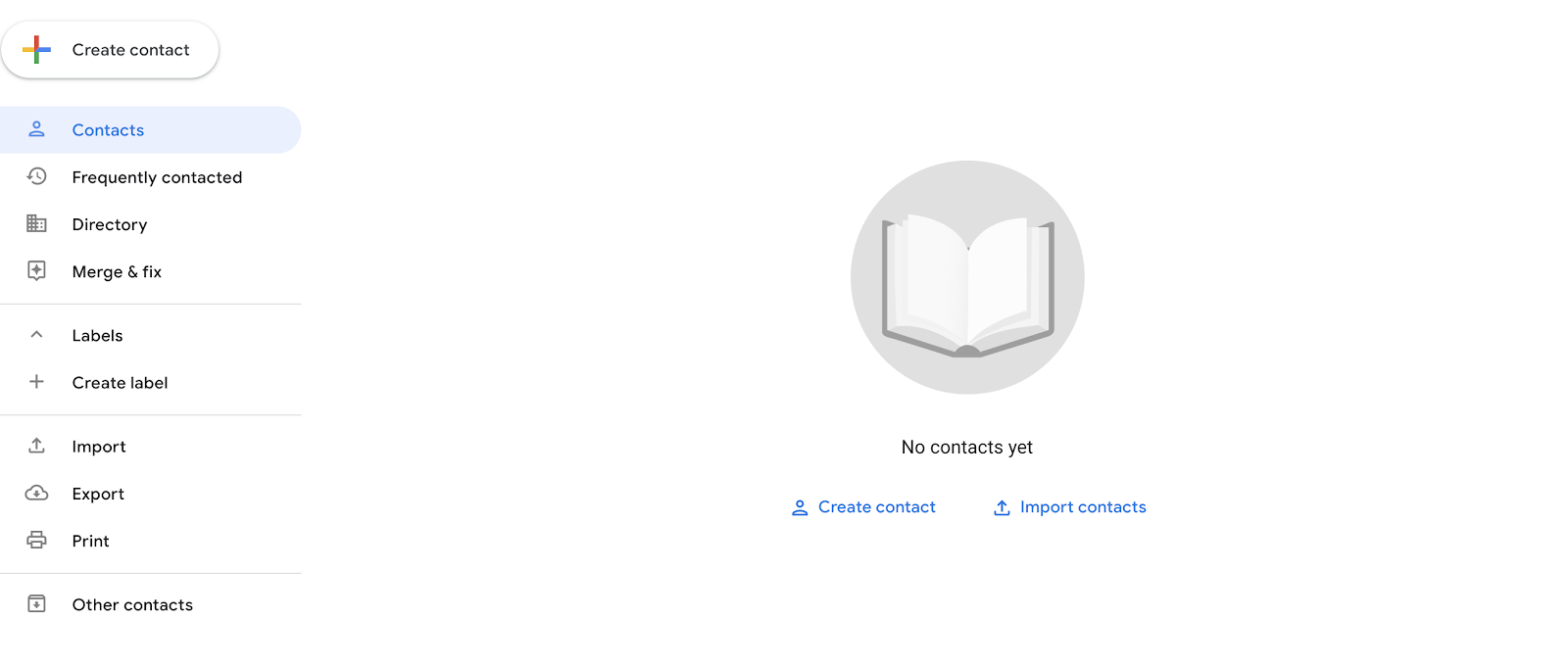
When these databases do not communicate with one another, data silos emerge. This fragmentation leads to duplicate entries, outdated information, and teams working with inconsistent data sets. The traditional remedy for this issue has been manual data migration using CSV files. While this method allows for the transfer of contact lists, it is a static process that fails to maintain ongoing data integrity. It creates a temporary snapshot of your database rather than a living, breathing connection between your tools.
The reliance on manual imports and exports introduces significant operational friction. Each time you need to move data, you must initiate a process that is prone to human error and time-consuming. For organizations that require real-time accuracy in their customer interactions, this lag between data update and data availability can hinder performance. Understanding the limitations of these traditional methods is the first step toward implementing a more robust data synchronization strategy.
Understanding Data Silos and Their Impact
Data silos occur when information is trapped within specific systems and cannot be easily accessed or shared by other parts of the organization. In the context of contact management, this means your sales team might have a different view of a customer’s history than your marketing team. This lack of alignment can lead to missed opportunities, redundant outreach, and a disjointed customer experience.
For decision-makers, the cost of these silos is not just operational; it is strategic. When data is fragmented, insights derived from it are incomplete. You cannot make informed decisions about customer behavior, campaign effectiveness, or sales pipelines if the underlying data is inconsistent. Breaking down these silos requires moving beyond isolated databases to integrated ecosystems where data flows freely and accurately.
The Mechanics of CSV Imports and Exports
Google Contacts provides built-in functionality for importing and exporting data through CSV (Comma Separated Values) files. These files can be formatted as Google CSV, Outlook CSV, or vCard files. The process is straightforward: you select the contacts you wish to transfer, export them to a file, and then import that file into the destination application. You can also use labels to segment contacts, allowing you to export only specific groups, such as “Business” contacts, while excluding others.
This method is suitable for one-time transfers or occasional updates. For instance, if you are migrating contacts from an old Gmail account to a new one, or sharing a specific list with a colleague, CSV exports provide a quick solution. However, the format has inherent limitations that become apparent with regular use. CSV files are not designed for continuous data synchronization. They capture data at a single point in time, meaning any changes made after the export will not be reflected in the imported file.
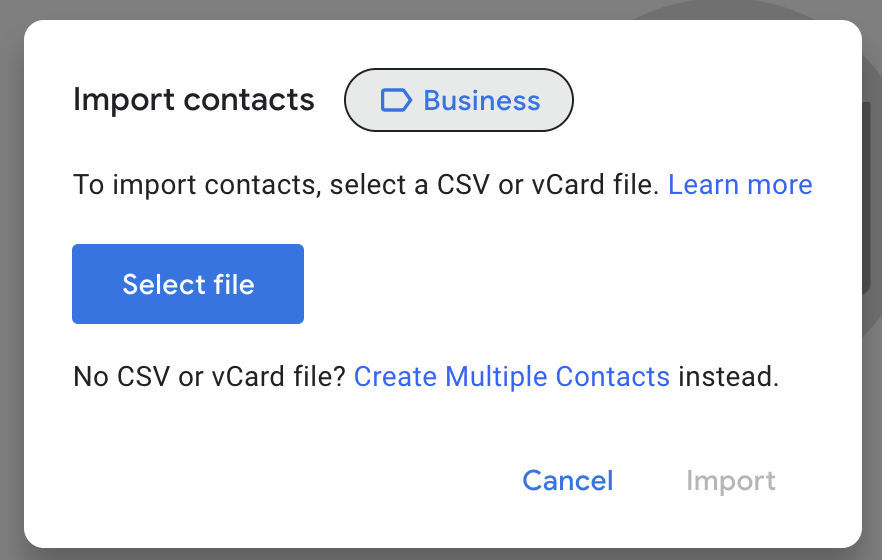
Furthermore, the CSV format is susceptible to data corruption during transfer. Because the file relies on commas to separate fields, data containing commas—such as addresses or company names—can be split incorrectly. Phone numbers may be misinterpreted as numerical values, leading to formatting errors. These issues require manual correction, adding to the administrative burden. For organizations that prioritize data accuracy, these risks make CSV files an unreliable choice for ongoing contact management.
Common Errors in Manual Data Transfer
Manual data transfer is fraught with potential errors. Duplicate contacts are a frequent issue, especially when merging data from different sources. A contact listed as “William” in one database and “Bill” in another will likely be imported as two separate entries, leading to confusion and redundant communication. Merging these duplicates manually is time-consuming and prone to oversight.
Another common problem is data loss. During the import process, certain fields may not map correctly to the destination application, resulting in missing information. This can include custom fields, notes, or interaction history. Over time, these small losses accumulate, degrading the quality of your customer data. The need to constantly monitor and correct these errors diverts resources away from more strategic activities.
Challenges with Manual Data Synchronization
The primary drawback of using CSV files for contact management is the lack of real-time synchronization. Your contact data is dynamic; phone numbers change, email addresses are updated, and new contacts are added daily. A CSV file, however, is static. Once exported, it becomes outdated quickly. To keep your databases aligned, you would need to perform manual imports and exports on a regular basis, such as weekly or monthly.
This repetitive process is inefficient and disrupts workflow. It also fails to provide a two-way sync. If you update a contact in your CRM, that change will not automatically reflect in Google Contacts unless you manually export and import the data again. This one-way flow means you are constantly playing catch-up, trying to maintain consistency across platforms. The administrative overhead of managing these transfers can become a significant bottleneck for your team.
Moreover, manual synchronization does not scale well. As your business grows and the volume of contacts increases, the time required to manage these transfers grows proportionally. What might take a few minutes for a small list can become hours of work for a large database. This inefficiency limits your ability to leverage contact data for broader business initiatives, such as personalized marketing or detailed customer analytics.
The Cost of Inefficiency
The cost of manual data synchronization extends beyond the immediate time spent on imports and exports. It includes the opportunity cost of delayed decision-making and the risk of errors that impact customer relationships. When teams are spending time reconciling data rather than engaging with customers, productivity suffers. The cumulative effect of these inefficiencies can hinder growth and reduce competitive advantage.
Additionally, the lack of real-time data can lead to missed opportunities. If a sales representative sees outdated contact information, they may reach out to the wrong person or use an incorrect email address. These errors can damage customer trust and reputation. Investing in solutions that automate and synchronize data is not just about convenience; it is about maintaining the integrity of your customer interactions.
Integration Strategies for Continuous Sync
To overcome the limitations of manual imports and exports, organizations can implement integration strategies that enable continuous data synchronization. These strategies involve connecting Google Contacts with other applications in your software stack, allowing data to flow automatically and in real time. There are three primary methods for achieving this integration: native integrations, in-house custom integrations, and Integration Platform as a Service (iPaaS) tools.
Native integrations are built directly into applications. Some CRM systems and contact management tools offer pre-built connections with Google Contacts. These integrations are easy to set up and require minimal technical expertise. However, they may be limited in functionality, offering only one-way data pushes or basic synchronization features. If your current tools do not offer native integrations, or if the available options do not meet your needs, you may need to explore other solutions.
In-house custom integrations involve building a tailored solution using internal development resources. This approach allows for complete customization, ensuring the integration aligns perfectly with your specific workflows and requirements. However, it is also the most resource-intensive option. Developing and maintaining a custom integration requires significant investment in time, money, and technical expertise. For many organizations, particularly small and medium-sized businesses, this approach is not feasible.
Evaluating Integration Options
When choosing an integration strategy, consider the complexity of your data needs and the resources available. Native integrations are ideal for simple, standard workflows. If you need more advanced functionality, such as two-way sync or complex data mapping, an iPaaS tool may be a better choice. These platforms are designed to handle diverse integration scenarios, providing a balance of flexibility and ease of use.
Custom integrations are best suited for large enterprises with unique requirements and the budget to support ongoing development. For most organizations, the goal is to find a solution that minimizes manual effort while maximizing data accuracy. By evaluating your options carefully, you can select an integration strategy that supports your business objectives and enhances operational efficiency.
The Role of iPaaS in Contact Synchronization
Integration Platform as a Service (iPaaS) tools are designed to connect disparate applications and automate data flows. These platforms offer a range of functionalities, from simple trigger-action workflows to complex, real-time data synchronization. For contact management, iPaaS tools can bridge the gap between Google Contacts and your CRM, ensuring that data is consistent across all platforms.
Trigger-action automation tools, such as Zapier or Automate.io, allow you to create workflows based on specific events. For example, you can set up a trigger so that when a new contact is added to Google Contacts, it is automatically created in your CRM. This is useful for one-way data transfers and simple automations. However, these tools are not optimized for continuous, two-way synchronization. They do not handle updates to existing contacts or sync historical data effectively.
For more comprehensive synchronization, specialized iPaaS platforms focus on customer data syncing. These tools can maintain a real-time, two-way connection between Google Contacts and your CRM. Any change made in one platform is automatically reflected in the other, including new contacts, updates, and deletions. This ensures that your data is always current and consistent, eliminating the need for manual interventions.
Choosing the Right iPaaS Tool
Not all iPaaS tools are created equal. Some are better suited for simple automations, while others excel at complex data synchronization. When selecting a tool, consider the specific requirements of your business. If you need to sync large volumes of contact data in real time, look for platforms that specialize in customer data synchronization. These tools often offer advanced features, such as data mapping, error handling, and conflict resolution, which are essential for maintaining data integrity.
Additionally, consider the scalability of the solution. As your business grows, your data needs will evolve. Choose an iPaaS tool that can accommodate increased data volumes and more complex workflows. By investing in the right technology, you can ensure that your contact management processes remain efficient and effective, supporting your long-term growth objectives.
Implementing a Seamless Sync Solution
Implementing a seamless sync solution involves more than just selecting the right tool. It requires careful planning and execution to ensure that data is mapped correctly and that workflows are optimized. Start by identifying the key data fields that need to be synchronized, such as names, email addresses, and phone numbers. Ensure that these fields are mapped consistently across all platforms to avoid data discrepancies.
Next, configure the synchronization rules to define how data should flow between systems. For example, you may want to prioritize data from your CRM over Google Contacts for certain fields, or vice versa. Establishing clear rules helps prevent conflicts and ensures that the most accurate data is always available. Test the integration thoroughly before going live to identify and resolve any potential issues.
Finally, monitor the synchronization process regularly to ensure it is functioning as expected. Most iPaaS tools provide dashboards and logs that allow you to track data flows and identify errors. By staying proactive, you can address issues quickly and maintain the integrity of your contact data. A well-implemented sync solution can significantly reduce administrative burden and improve the quality of your customer interactions.
Best Practices for Data Integrity
Maintaining data integrity is crucial for the success of your synchronization efforts. Regularly audit your contact data to identify and remove duplicates, outdated entries, and errors. Implement data validation rules to prevent incorrect data from being entered into your systems. Encourage your team to follow consistent data entry practices, such as using standardized formats for phone numbers and email addresses.
Additionally, document your synchronization processes and workflows. This documentation serves as a reference for your team and helps ensure consistency in how data is managed. By adhering to these best practices, you can maintain a clean, accurate, and reliable contact database that supports your business operations effectively.
Alternatives to Manual Import and Export
While manual import and export via CSV files is a common method for managing contacts, it is not the most efficient or reliable option for ongoing data management. By exploring alternatives, such as native integrations, custom solutions, or iPaaS tools, you can achieve a more streamlined and accurate contact management process. These alternatives offer varying levels of automation and customization, allowing you to choose a solution that best fits your business needs.
Native integrations provide a straightforward way to connect Google Contacts with other applications, but they may lack the flexibility required for complex workflows. Custom integrations offer complete control but come with high costs and resource requirements. iPaaS tools strike a balance, providing robust integration capabilities with ease of use and scalability. By evaluating these options, you can identify the approach that minimizes manual effort and maximizes data accuracy.
Strategic Considerations for Integration
When deciding on an integration strategy, consider the long-term goals of your organization. If you plan to expand your software stack or integrate additional tools in the future, choose a solution that is scalable and adaptable. iPaaS tools, in particular, offer the flexibility to connect multiple applications and automate complex workflows, making them a strategic choice for growing businesses.
Additionally, consider the impact of integration on your team’s productivity. By automating data synchronization, you free up your team to focus on higher-value activities, such as customer engagement and strategic planning. This shift not only improves efficiency but also enhances the overall customer experience, as your team can respond more quickly and accurately to customer needs. Embracing automation is a key step toward building a data-driven, agile organization.





