Why Facebook Event Image Dimensions Matter
Creating an event on Facebook is often a quick process. You can go from a blank page to a live invitation in just a few minutes. It feels efficient until you upload your cover image and see it appear in a friend’s feed as a fuzzy, blurry mess. The culprit is usually the file dimensions. Facebook does not automatically upscale images to perfection; it scales them to fit specific containers, and if your source file is not optimized, the platform’s compression algorithms degrade the quality significantly.
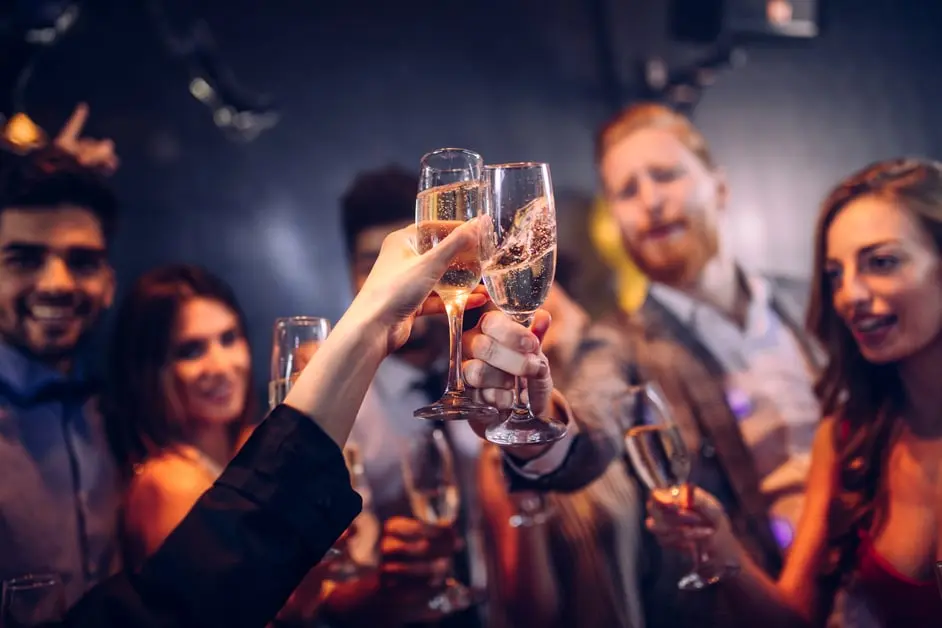
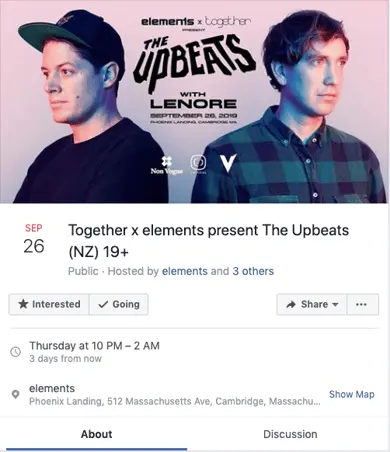
A Facebook event is more than just a digital flyer. It is a dedicated landing page that aggregates details, guest lists, and engagement metrics. Whether you are hosting a launch party, a charity run, a community gathering, or a business opening, the visual presentation sets the tone before a user even reads the description. The cover photo is the first visual element a potential attendee encounters. If it is pixelated or cropped incorrectly, it signals a lack of attention to detail that can undermine the perceived professionalism of the event itself.
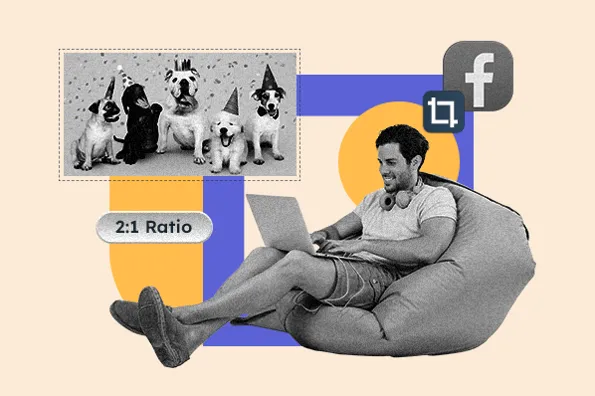
Understanding the technical requirements for these images is not just about aesthetics; it is about ensuring your brand maintains consistency across different viewing environments. A photo that looks crystal clear on a desktop monitor may appear distorted on a mobile device if the aspect ratio is incorrect. We focus on providing clear, actionable data so you can avoid these common pitfalls. By adhering to the recommended specifications, you ensure that your event page looks polished and intentional, regardless of where or how your audience interacts with it.
The Impact of Visual Quality on Engagement
Visual clarity directly influences user trust. When a potential attendee clicks on an event and sees a crisp, high-resolution image, they are more likely to perceive the organizer as competent and reliable. Conversely, a blurry image can create immediate friction. It forces the user to squint or zoom in, which disrupts the flow of information consumption. In a crowded feed, where users scroll rapidly, a sharp image acts as a visual anchor that stops the thumb and invites engagement.
Furthermore, the cover photo serves as a primary identifier in various sections of the platform, including the “Events You May Like” sidebar and the main News Feed. These placements often use thumbnail sizes that are significantly smaller than the full cover photo. If the original image is not optimized for these smaller contexts, key details may be lost or obscured. This is particularly critical for events that rely on visual cues, such as concerts with specific artwork or product launches with detailed imagery.
Recommended Specifications for Facebook Event Photos
The standard recommended size for a Facebook event cover photo is 1200 x 628 pixels. This dimension creates an aspect ratio of approximately 1.91:1, which is very close to a 2:1 ratio. This is the baseline you should use when designing your event banner. It provides enough resolution to display clearly on desktop screens while allowing for adequate scaling down to mobile devices without excessive pixelation.
If you upload an image that is smaller than 1200 x 628 pixels, Facebook will automatically scale it up to fit the container. This upscaling process does not add detail; it interpolates pixels, which results in a soft, blurry appearance. The platform prioritizes filling the space over maintaining sharpness, so it is crucial to provide a source file that meets or exceeds the minimum requirements. Using a higher resolution file, such as 1920 x 1080 pixels, can also be beneficial. This larger dimension ensures that the image remains sharp across all devices, including high-density retina displays and large desktop monitors.
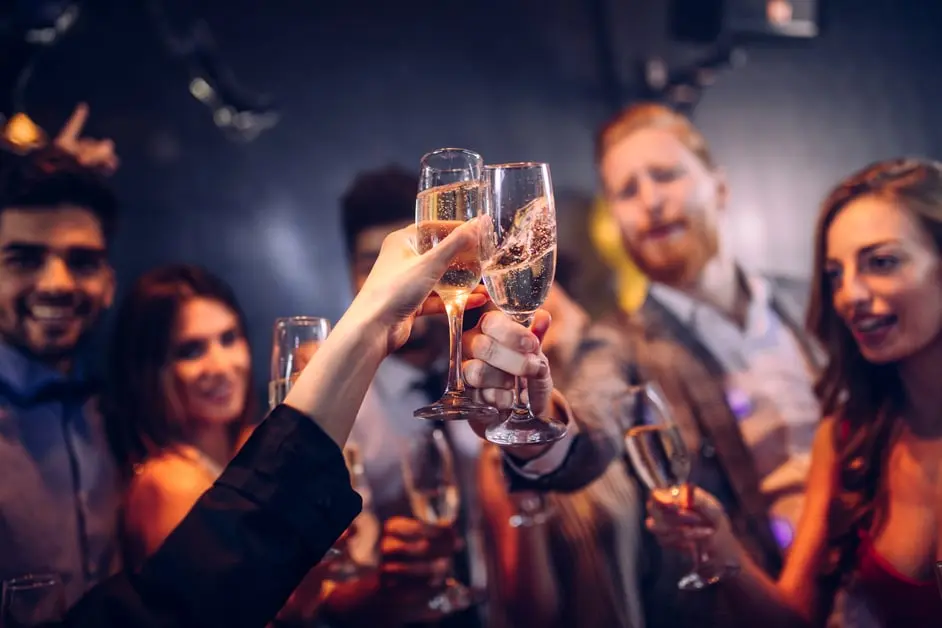
It is important to note that Facebook imposes different size preferences for the various places your event advertisement will be seen. The cover photo is just one component of the visual ecosystem. When the event appears in a user’s News Feed, Facebook scales the image to 470 x 174 pixels. This is a significant reduction in size, and it means that any text or small details included in the cover photo may become illegible. Therefore, the design should be simple and impactful, with the main visual elements centered and clearly visible even at a glance.
Aspect Ratio Considerations
The 1.91:1 aspect ratio is the key metric to remember. This wide, banner-like format is designed to capture attention without taking up too much vertical space in the feed. If you use a square image (1:1 ratio) or a vertical image (4:5 ratio), Facebook will crop the sides to fit the 1.91:1 container. This can result in important parts of your image being cut off, such as faces, logos, or text. To avoid this, design your image with the safe zone in mind. Keep critical elements within the center 80% of the frame, ensuring that they remain visible even if the platform crops the edges slightly.
Using a tool like Adobe Photoshop, Canva, or even free online editors, you can set the canvas size to 1200 x 628 pixels before you begin designing. This prevents the need for resizing later, which can introduce errors. Export the final image as a JPEG or PNG file. JPEG is generally preferred for photographs due to its smaller file size, while PNG is better for images with text or graphics that require sharp edges. Ensure the file size is under 30MB, which is Facebook’s current upload limit, though smaller files load faster and provide a better user experience.
How Event Photos Display Across Different Platforms
Facebook is not a single-screen experience. Your event photo will be displayed in multiple contexts, each with its own unique dimensions and constraints. Understanding these variations is essential for creating a cohesive visual strategy. The primary display is the event page itself, where the full 1200 x 628 pixel cover photo is shown. This is where users go to view details, read updates, and see the guest list. Here, the image should be high-quality and visually engaging, setting the stage for the event.
However, the majority of users may first encounter your event in their News Feed. On desktop, the feed thumbnail is 470 x 174 pixels. On mobile, the cover photo is scaled to 560 x 208 pixels. These smaller sizes mean that the image must be legible and appealing at a glance. Complex designs with multiple elements may become cluttered and confusing when scaled down. A clean, single-focus image with high contrast tends to perform best in these contexts.
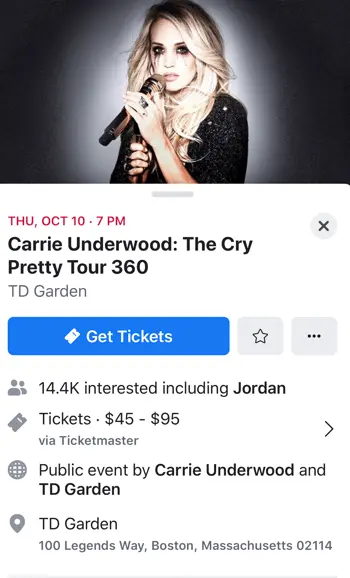
Another critical display area is the right column on desktop, where users see a snapshot of their feed. Here, the image is displayed at 254 x 133 pixels. This is the smallest standard display size for event thumbnails. At this size, only the most prominent features of the image will be visible. If you include text in your cover photo, ensure it is large and bold enough to be readable at this scale. However, it is generally recommended to avoid text in the cover photo altogether, relying instead on the event title and description for information. This keeps the image clean and allows the visual to speak for itself.
Mobile vs. Desktop Viewing Habits
Mobile devices account for a significant portion of Facebook usage. As such, optimizing for mobile is not optional; it is essential. The mobile experience is characterized by smaller screens, faster scrolling, and shorter attention spans. Your event photo must capture interest quickly and clearly. The 560 x 208 pixel mobile cover photo is wider than it is tall, reinforcing the need for a horizontal design. Vertical images will be cropped heavily, potentially removing key content.
Testing your image on both desktop and mobile devices before publishing is a best practice. Upload the image as a draft and view it on your phone. Check for blurriness, cropping issues, or legibility problems. If the image looks good on mobile but not on desktop, or vice versa, you may need to adjust the composition. Sometimes, a slight shift in the placement of the main subject can make a significant difference. The goal is to achieve a consistent, high-quality appearance across all viewing environments.
Optimizing Descriptions and Captions for Event Visibility
While the cover photo is the visual hook, the event description provides the necessary context. Facebook allows for a substantial amount of text in the event description, but the amount of text that is visible in the feed is limited. On the desktop News Feed, the display includes up to 500 characters. On mobile, this drops to 110 characters. In the right column ads, the limit is even lower, at 90 characters. These constraints mean that your description must be concise and compelling, with the most important information appearing in the first few sentences.
The caption or description is an opportunity to highlight key details such as the date, time, location, and any special guests or features. However, given the character limits, you must prioritize the information that is most likely to drive interest. Start with a strong hook that captures the essence of the event. For example, instead of a generic “Join us for a party,” use “Experience the launch of our new product line with exclusive previews and live demos.” This provides specific value and encourages users to click through to the full event page.
It is also important to consider the tone of the description. It should match the vibe of the event and the expectations of your audience. A formal business conference requires a different tone than a casual community fundraiser. Use language that resonates with your target demographic. Include relevant hashtags to increase discoverability, but do not overdo it. One or two well-chosen hashtags are more effective than a long list of generic tags. The goal is to provide enough information to entice a click, not to replace the full event page.
Crafting Effective Event Titles
The event title is another critical element that works in tandem with the cover photo and description. It should be clear, concise, and descriptive. Avoid vague titles like “Event” or “Meeting.” Instead, use specific language that tells users exactly what to expect. For example, “Annual Tech Innovation Summit 2025” is much more informative than “Tech Event.” The title should also include relevant keywords that users might search for, such as the location or the type of event. This improves the event’s visibility in Facebook’s search and suggestion algorithms.
Combining a strong title with an optimized cover photo and a compelling description creates a powerful combination. Each element reinforces the others, providing a cohesive and professional presentation. The title grabs attention, the cover photo provides visual appeal, and the description offers context and value. Together, they create a complete package that encourages users to RSVP and engage with the event. This holistic approach to event creation is essential for maximizing attendance and impact.
Best Practices for Creating and Managing Facebook Events
Creating a successful Facebook event involves more than just setting a date and uploading an image. It requires careful planning and attention to detail. Start by defining the goal of the event. Are you looking to generate leads, build community, or promote a product? The goal will influence the design of the cover photo, the tone of the description, and the target audience. A clear objective helps you make informed decisions throughout the creation process.
Next, choose the right privacy setting. Public events are visible to everyone and can appear in the feeds of your company’s friends and followers. Private events are only visible to you and the people on the guest list. For most business events, a public setting is recommended to maximize reach. However, if you are hosting an exclusive gathering, a private setting may be more appropriate. Consider your goals and your audience when making this choice.
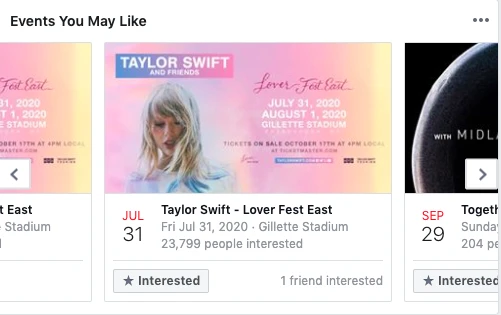
Regularly update the event page with new information. Post photos from previous events, share updates from speakers, or announce special promotions. This keeps the event top-of-mind for attendees and encourages them to share the event with their friends. Engagement is key to visibility. The more people interact with the event page, the more likely it is to be shown in the “Suggested Events” section of relevant users’ feeds. Use Facebook’s built-in tools to monitor engagement and adjust your strategy as needed.
Common Mistakes to Avoid
One common mistake is using a low-resolution image. As mentioned earlier, Facebook will upscale small images, resulting in blurriness. Always use a high-resolution image that meets or exceeds the recommended dimensions. Another mistake is including too much text in the cover photo. This can be distracting and may be illegible on smaller screens. Keep the design clean and simple, relying on the event title and description for detailed information.
Ignoring mobile optimization is another frequent error. With the majority of users accessing Facebook via mobile devices, failing to optimize for smaller screens can significantly reduce the effectiveness of your event page. Test your image and description on mobile devices before publishing to ensure they look and read well. Finally, neglecting to engage with attendees can hurt your event’s momentum. Respond to questions, thank people for RSVPing, and keep the conversation going. An active event page is more likely to attract new attendees and generate buzz.
Conclusion
Optimizing your Facebook event photo size and overall presentation is a critical step in ensuring your event’s success. By adhering to the recommended dimensions of 1200 x 628 pixels and considering the various display contexts across desktop and mobile, you can create a professional and engaging event page. Remember to keep your design clean, your description concise, and your title descriptive. These small details can make a big difference in how your audience perceives your event and whether they choose to attend. With careful planning and attention to these technical and creative elements, you can maximize the impact of your Facebook events and achieve your marketing goals.





