What Are Hashtags and Why Do They Matter?
Hashtags have evolved from a niche Twitter feature into a universal language of social media categorization. At their core, a hashtag is simply a keyword or phrase preceded by the pound symbol (#), with all spaces removed. For example, #DigitalMarketing or #CustomerSuccess. This small syntactic change transforms plain text into a clickable link that aggregates conversations, images, and videos from across the platform.
The concept was popularized in 2007 by Chris Messina, who recognized that hashtags could organize group discussions without the “management cruft” of traditional forums. Today, they serve as the primary discovery mechanism for public content. When you use a hashtag, you are not just posting to your followers; you are injecting your content into a broader, topic-specific stream where anyone searching for that term can find it.
For brands and businesses, hashtags are a double-edged sword. Used correctly, they increase visibility, drive engagement, and help you tap into real-time conversations. Used poorly, they can clutter your feed, confuse your audience, and dilute your message. The key is intentionality. You should only use a hashtag if it adds context or value to the post. If you are unsure whether a hashtag belongs, it probably doesn’t.
The Mechanics of Visibility
To appear in a hashtag search, your post must be public. Private accounts or posts set to “friends only” will not show up in the aggregated stream, rendering the hashtag ineffective for discovery. This is a critical distinction for brands: if your goal is reach, your content must be accessible.
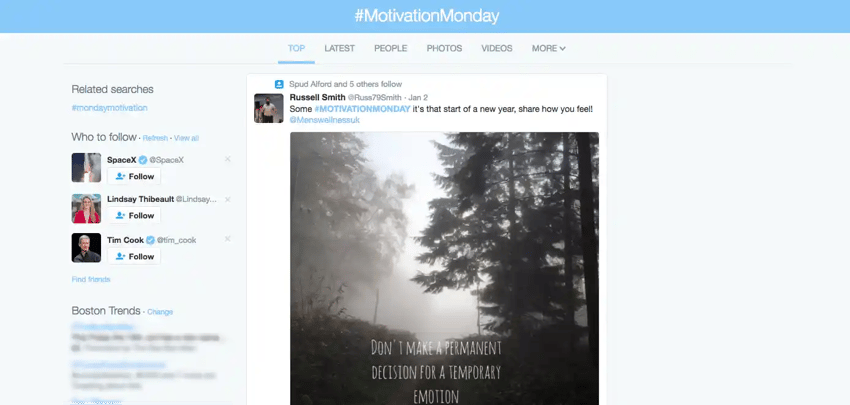
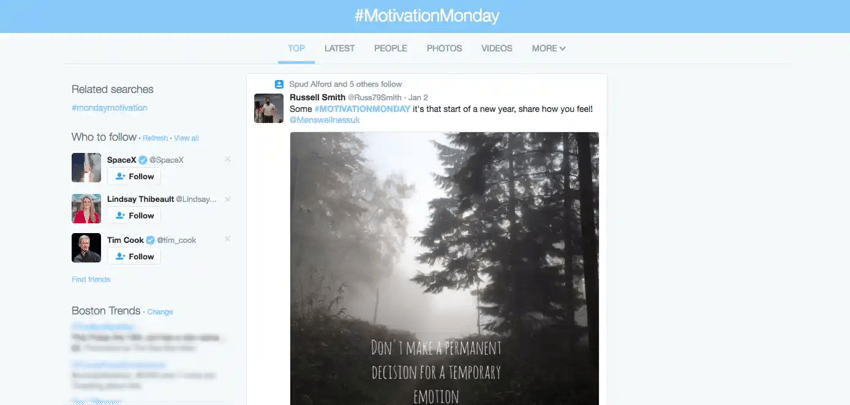
Hashtags also provide useful cues for recall. They help users remember events, holidays, or ongoing discussions. For instance, #MotivationMonday or #BlackFriday become cultural anchors that users actively seek out. By aligning your content with these established tags, you borrow their existing traffic and relevance.
Mastering Hashtags on Twitter
Twitter (now X) remains the fastest-moving social platform, where hashtags function as live news wires and community hubs. A Twitter hashtag ties together tweets from users who may not follow each other, creating a unified conversation stream. This makes Twitter ideal for real-time engagement, customer service, and joining trending topics.
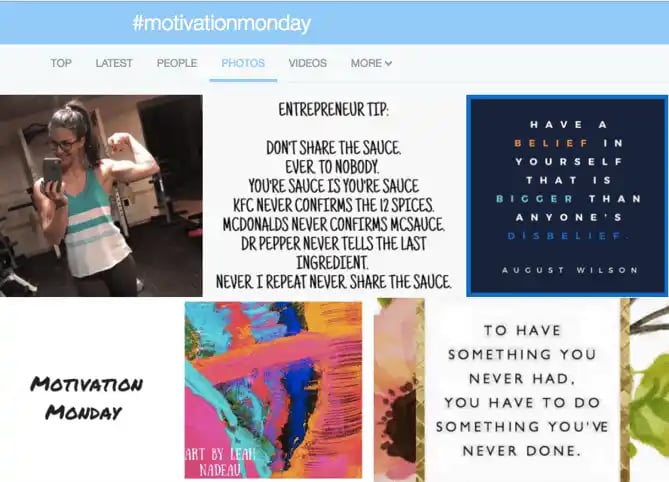
When you search for a hashtag on Twitter, you are presented with several tabs: Top, Latest, People, Photos, Videos, and More. The “Top” tab shows the most engaged tweets, often from influential accounts. The “Latest” tab provides a chronological feed of every public tweet using that tag. This structure allows you to gauge the sentiment and volume of a conversation instantly.
Finding the Right Tags
You don’t have to guess which hashtags are working. Twitter’s trending topics bar, located on the left-hand side of the homepage, highlights hashtags that are currently surging in popularity. These trends are tailored to your location and the accounts you follow, but you can change your location settings to see global or regional trends.
For more precise searches, use Twitter’s Advanced Search. This tool lets you filter hashtags by language, date, account, and even sentiment (e.g., tweets containing a frowny face). You can also monitor specific hashtags using third-party tools like HubSpot’s Social Inbox, which aggregates streams from multiple platforms into a single dashboard.
Joining Twitter Chats
Twitter Chats are structured, live Q&A sessions organized around a specific hashtag. They are scheduled at specific times and often moderated by an industry expert. Participating in a Twitter Chat is one of the most effective ways to build authority and connect with peers. It is akin to a virtual networking event: you show up, answer questions, and engage with others who share your interests.
To find chats, you can use directories like TweetReports, which list chats by topic and date. Whether you are interested in marketing, finance, or niche hobbies, there is likely a weekly chat waiting for your participation. The key is consistency. Show up regularly, contribute value, and follow up with new connections.
Navigating Hashtags on Facebook
Facebook hashtags work differently than those on Twitter or Instagram. Because most Facebook users have private profiles, the majority of hashtagged posts are invisible to the public. As a result, hashtag searches on Facebook are dominated by brands, influencers, publishers, and public figures. This makes Facebook hashtags less about personal discovery and more about brand-led storytelling.
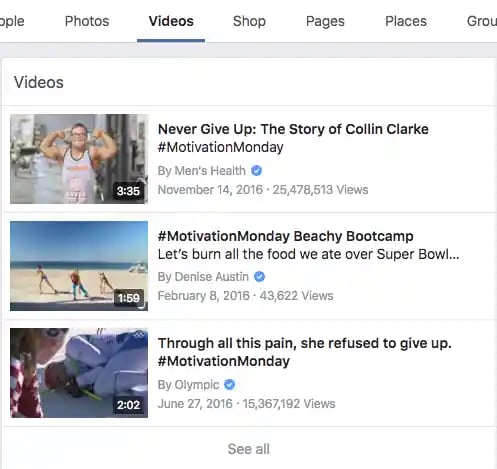
When you search for a hashtag on Facebook, you can toggle between Top, Latest, People, Photos, Videos, Shop, Pages, Places, Groups, Apps, and Events. The “Top” tab highlights posts with the most engagement, while “Latest” shows a chronological feed of public posts. The additional tabs (Shop, Pages, Groups) allow you to discover commercial entities and communities associated with the tag.
Best Practices for Facebook
To use hashtags effectively on Facebook, ensure your post is set to “Public.” If your privacy setting is restricted, your hashtag will not appear in public searches. Facebook recommends using one to two hashtags per post. Overloading your content with tags can make it look spammy and reduce engagement.
Unlike Twitter, Facebook does not have a prominent “trending topics” bar for hashtags. Instead, trending content appears in your News Feed based on your interactions, likes, and location. To find popular hashtags, you can search directly in the search bar or type the hashtag into the URL (e.g., facebook.com/hashtag/YourTag).
The Role of Context
On Facebook, hashtags serve as contextual anchors rather than discovery engines. They help organize your own content and make it easier for users to find related posts on your Page. For example, a brand might use #SummerSale across all its promotional posts, allowing users to click the tag and see the entire campaign. This internal organization is often more valuable than trying to ride a viral wave.
Maximizing Reach on Instagram
Instagram is a visual-first platform where hashtags are the primary discovery tool. Unlike Facebook, Instagram accounts are public by default for creators and brands, making hashtag searches highly active and diverse. When you use a hashtag on Instagram, your post appears in a grid alongside thousands of other images and videos using the same tag.
The Instagram hashtag interface is simple. When you search for a tag, you see three main sections: Top Posts, Recent Posts, and Related Hashtags. Top Posts feature the nine most-engaged images, often from large accounts. Recent Posts shows a live feed of all new content. Related Hashtags suggests similar tags you can explore.

How Many Hashtags Should You Use?
Instagram allows up to 30 hashtags per post, but quality matters more than quantity. Studies have shown that posts with a moderate number of hashtags (between 10 and 20) often receive the highest engagement. However, the best strategy depends on your niche and audience.
When you start typing a hashtag in your caption, Instagram will suggest popular and related tags. Use these suggestions to find tags that are relevant but not overly saturated. For example, instead of just #Love, try #LoveInNature or #UrbanLove. This helps your content stand out in a smaller, more engaged community.
The Explore Tab
Instagram’s Explore tab is a goldmine for discovering trending hashtags. It curates content based on your interests and the activity of accounts you follow. By browsing Explore, you can identify emerging trends and hashtags before they peak. This proactive approach allows you to join conversations early, increasing your chances of visibility.
Advanced Hashtag Strategies for Brands
Beyond basic usage, hashtags can be powerful tools for branding, community building, and campaign management. Here are some advanced strategies to elevate your hashtag game.
Create Branded Hashtags
A branded hashtag is unique to your company or campaign. It helps you aggregate user-generated content, track campaign performance, and build a community around your brand. Examples include #JustDoIt (Nike) or #ShareACoke (Coca-Cola).
To create a successful branded hashtag, keep it short, memorable, and easy to spell. Avoid numbers or special characters that can be confusing. Promote your branded hashtag across all channels, including your website, email signatures, and packaging. Encourage users to share their experiences with the tag by offering incentives or featuring their content on your official channels.
Monitor Hashtag Performance
You cannot improve what you do not measure. Use social media analytics tools to track the performance of your hashtags. Look at metrics like reach, engagement, and click-through rates. Identify which hashtags drive the most traffic and which fall flat.
Regularly audit your hashtag strategy. Remove underperforming tags and replace them with new, relevant ones. Trends change quickly, and a hashtag that worked last year may be irrelevant today. Stay agile and adapt to the evolving landscape of social media.
Combine Broad and Niche Tags
A balanced hashtag mix includes both broad and niche tags. Broad tags (e.g., #Marketing) have high volume but high competition. Niche tags (e.g., #B2BMarketingTips) have lower volume but higher relevance and engagement. By using a combination, you cast a wide net while also targeting a specific audience.
| Tag Type | Example | Volume | Competition | Best For |
|---|---|---|---|---|
| Broad | #SocialMedia | Very High | Very High | Awareness |
| Niche | #SaaSMarketing | Medium | Low | Engagement |
| Branded | #YourBrandName | Low | None | Community |
This table illustrates the trade-offs between different types of hashtags. Use broad tags to get discovered by new audiences, niche tags to connect with engaged users, and branded tags to build loyalty.
Extend Hashtags into the Real World
Hashtags are not limited to digital screens. You can use them in physical spaces to bridge the online and offline worlds. Print your campaign hashtag on event banners, product packaging, or business cards. This encourages customers to share their experiences online, creating a seamless loop between physical interaction and digital engagement.
For example, a coffee shop might use #MorningBrew on its cups, inviting customers to post photos of their latte art. This user-generated content serves as authentic social proof and expands your reach organically. The key is to make the hashtag relevant to the physical experience.
Common Mistakes to Avoid
Even experienced marketers can fall into hashtag traps. Here are some common pitfalls to watch out for.
Overstuffing
Using too many hashtags can make your post look spammy and desperate. It dilutes your message and can annoy your audience. Stick to a reasonable number (3-5 on Facebook, 10-20 on Instagram, 1-2 on Twitter) and focus on relevance.
Irrelevance
Never use a hashtag just because it is trending. If the tag has nothing to do with your content, it will confuse your audience and damage your credibility. Always ensure the hashtag accurately describes your post.
Ignoring Case Sensitivity
While hashtags are not case-sensitive, using CamelCase (capitalizing the first letter of each word) improves readability. #DigitalMarketing is easier to read than #digitalmarketing. This small change can make a big difference in user experience.
Forgetting Privacy Settings
As mentioned, hashtags only work for discovery if your post is public. Double-check your privacy settings before publishing. If your account is private, your hashtags will not appear in public searches, rendering them useless for reach.
The Future of Hashtags in AI Search
As search engines evolve, the role of hashtags is shifting. Generative AI and answer engines (AEO) are beginning to understand context and intent, reducing the reliance on rigid metadata like hashtags. However, hashtags remain a critical signal for social discovery and community building.
At AEO/GEO Services, we believe that content visibility in the AI era requires a hybrid approach. While hashtags may become less central to algorithmic ranking, they remain essential for human-driven discovery on social platforms. Brands should continue to use hashtags strategically, while also optimizing their content for AI-generated answers through clear, structured, and authoritative information.
The future of search is conversational. Hashtags help structure these conversations, making them easier for both humans and AI to navigate. By using hashtags intelligently, you ensure your brand is visible in both traditional social feeds and emerging AI-driven ecosystems.
Final Thoughts
Hashtags are a simple yet powerful tool. They organize chaos, connect communities, and amplify your voice. By understanding how they work on each platform and avoiding common mistakes, you can harness their full potential. Remember, the goal is not to chase trends but to add value to the conversation. When you do that, hashtags become a bridge to your ideal audience.
What hashtags are you using in your current strategy? Are they driving the results you expect? Take some time to audit your tags and refine your approach. The social media landscape is always changing, but the core principle remains the same: be relevant, be authentic, and be consistent.





